Your support team needs HubSpot's Customer Agent because it takes over the repetitive share of your inbound questions, answering things like "What's your return policy?" or "How do I reset my password?" automatically, using your own knowledge base and help content, so reps only spend their time on the conversations that actually need a person. It's a Breeze-powered AI agent built into Service Hub that sits directly inside the support channels you already use, with no extra login and no extra cost to turn on, and it hands the conversation to a human rep whenever it isn't confident in its answer.
If your team fields a high volume of repetitive inbound questions, like "What's your return policy?" or "How do I reset my password?", the Customer Agent absorbs that volume so reps can spend their time on the conversations that actually need a person. It's available if you're on Service Hub, and also if you're already on Marketing Hub, Sales Hub, Data Hub, Content Hub, or Smart CRM Professional or Enterprise.
Table of Contents:
Check what our Senior HubSpot Consultant Anna Dominique has to say about it:
What is the Customer Agent (and why use it)?
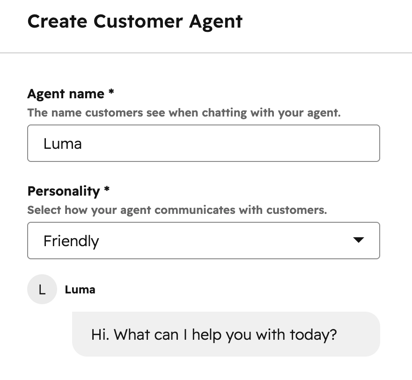
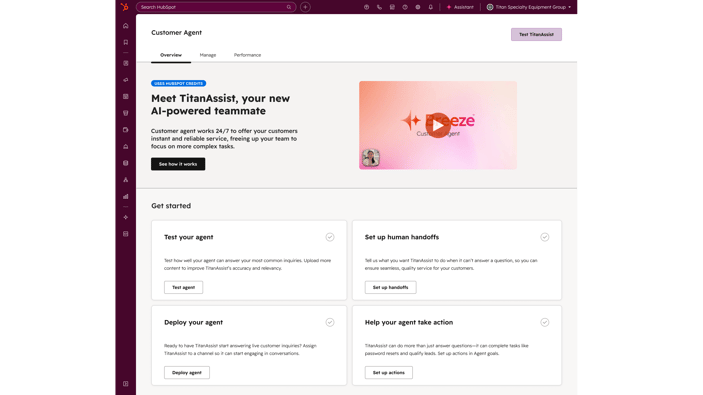
The Customer Agent is an AI agent, powered by Breeze, that responds to customer questions automatically using contextual knowledge from your portal and a conversational tone. Based on its confidence level, it either answers with a verifiable source, asks a follow-up question to clarify, or reassigns the conversation to a human agent.
What is Customer Agent in HubSpot?
- A Breeze agent built into Service Hub that answers customer questions automatically, not a chatbot you have to script line by line.
- Lives inside the support channels you already use once deployed, live chat and email, with no separate tool to log into and no extra cost to add it.
- Grounded in your existing HubSpot content, help articles, and any public URLs you connect, so it answers from documentation you already maintain.
- Hands off to a human rep whenever its confidence in an answer is low, instead of guessing.
Why use Customer Agent in HubSpot?
- Cuts response time on common questions, since the agent can reply instantly, at any hour.
- Frees reps from answering the same repetitive question dozens of times a day, so they can allocate their time to the cases that actually need a person.
- Keeps answers consistent and backed by a cited source, rather than varying rep to rep.
- Available wherever you already have Service Hub, and also usable if you're on Marketing Hub, Sales Hub, Data Hub, Content Hub, or Smart CRM Professional or Enterprise.
Step-by-step setup of the Customer Agent in HubSpot
Once you have a qualifying subscription, you can set up the Customer Agent by following these steps:
- Create the customer agent.
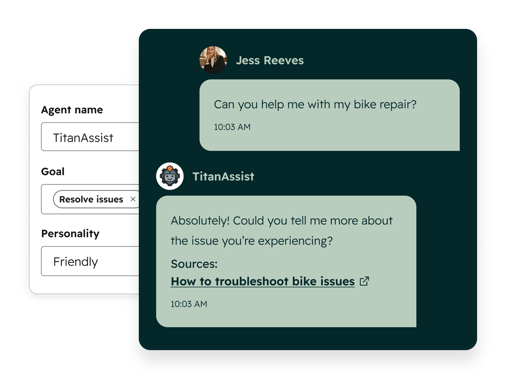
- In your HubSpot account, click More, then go to Service > Customer Agent (or navigate there directly if More isn't in your account).
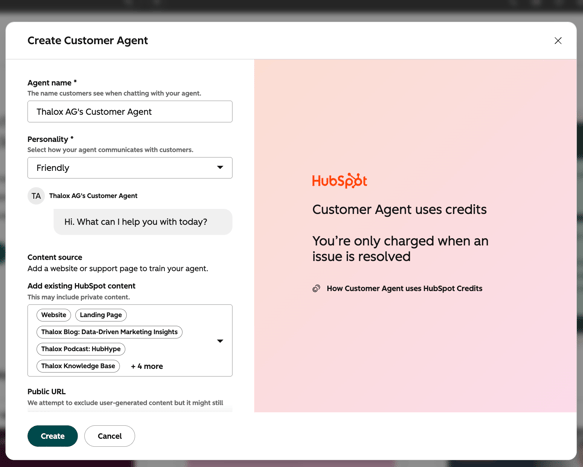
- Click Set up your agent, enter a name, and choose a Personality: Friendly, Professional, Casual, Empathetic, or Witty. If you've set up brand voice, you can select Use my brand voice instead.
- Add content sources: click Add existing HubSpot content or enter a public URL. Toggle Import related URLs to auto-crawl up to 5,000 URLs on your domain, or use path filtering to include or exclude specific pages.
- Click Create. Note that once a customer agent is created it can be paused at any time, but it can't be deleted.
- Configure the agent.
- Define its identity, name, avatar, and personality, and optionally grant it permission to access and update CRM properties.
- Add and manage its content sources, set up actions it can perform (like resetting a password), write guidelines for how it should respond, and customize its handoff process to a human rep.
- Test before going live.
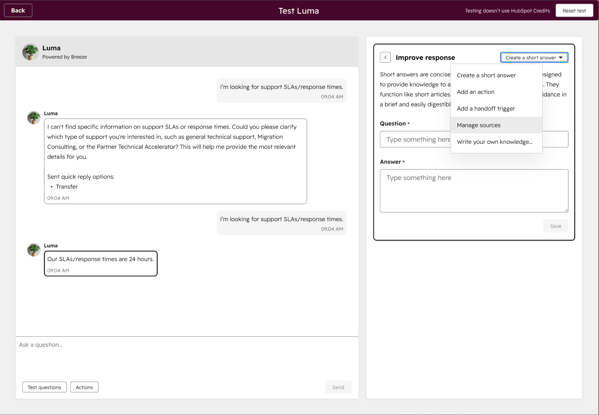
- Click Test [agent name], choose the Email or Live Chat icon, and test as a specific CRM contact, a segment, or with pre-populated test questions.
- Review Testing Insights to see why the agent responded the way it did and which sources it cited, then use Coach your agent to refine its answers
- Deploy to your channels.
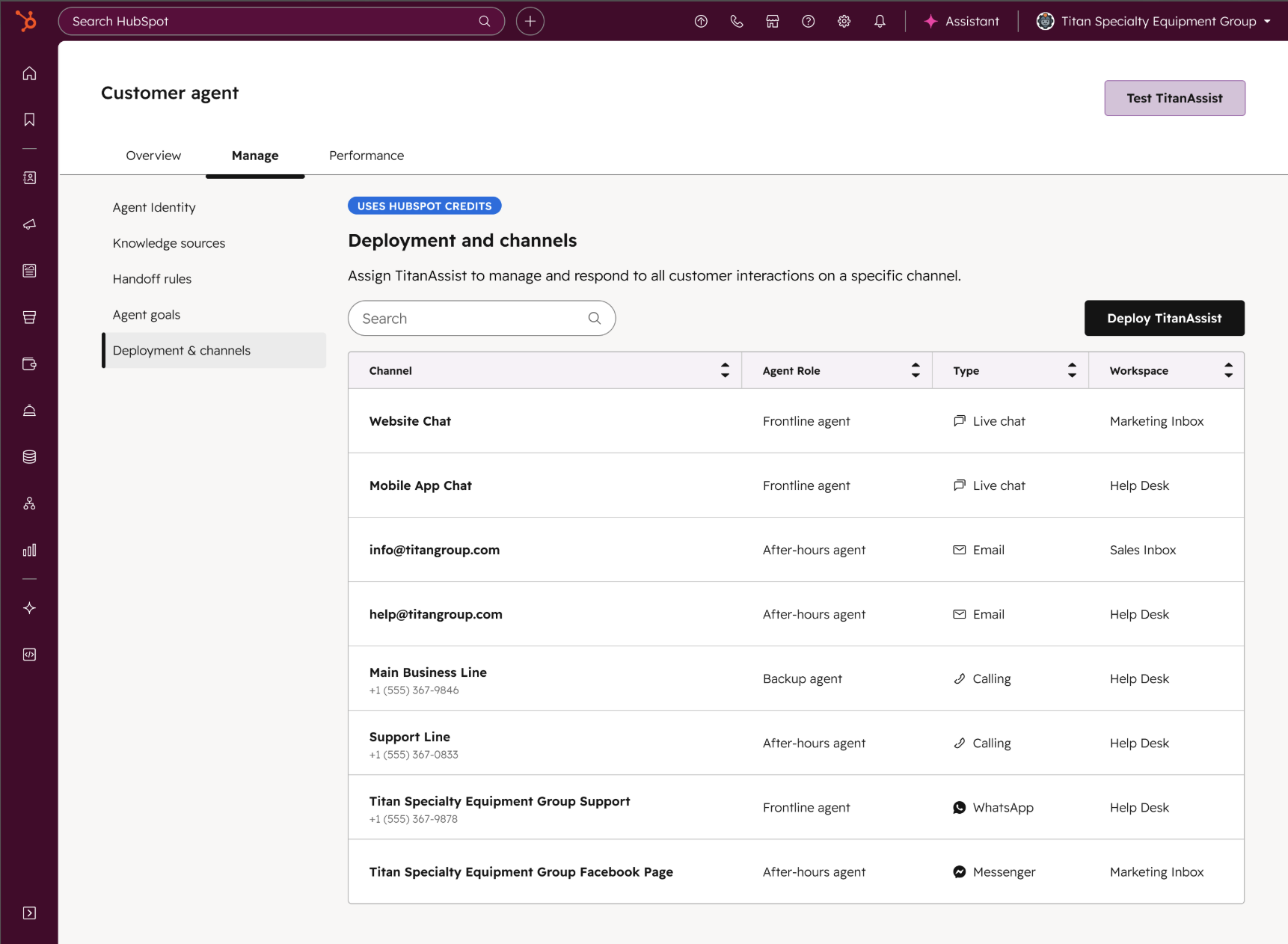
- Assign the agent to your support channels, workflows, or bots, and configure channel settings. It can also generate reply recommendations for reps working inside the help desk.
- Analyze performance.
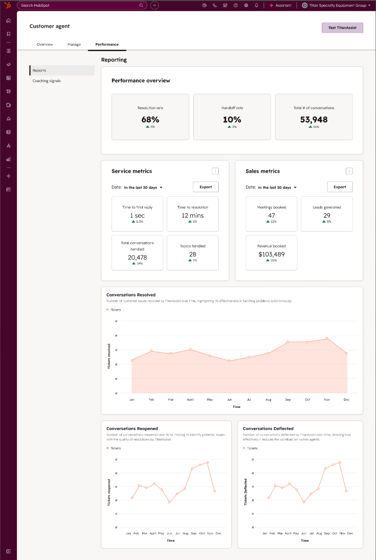
- Review performance reports over time, identify knowledge gaps, and see which content sources get cited most so you know what to update.
What's the Customer Agent's source of truth?
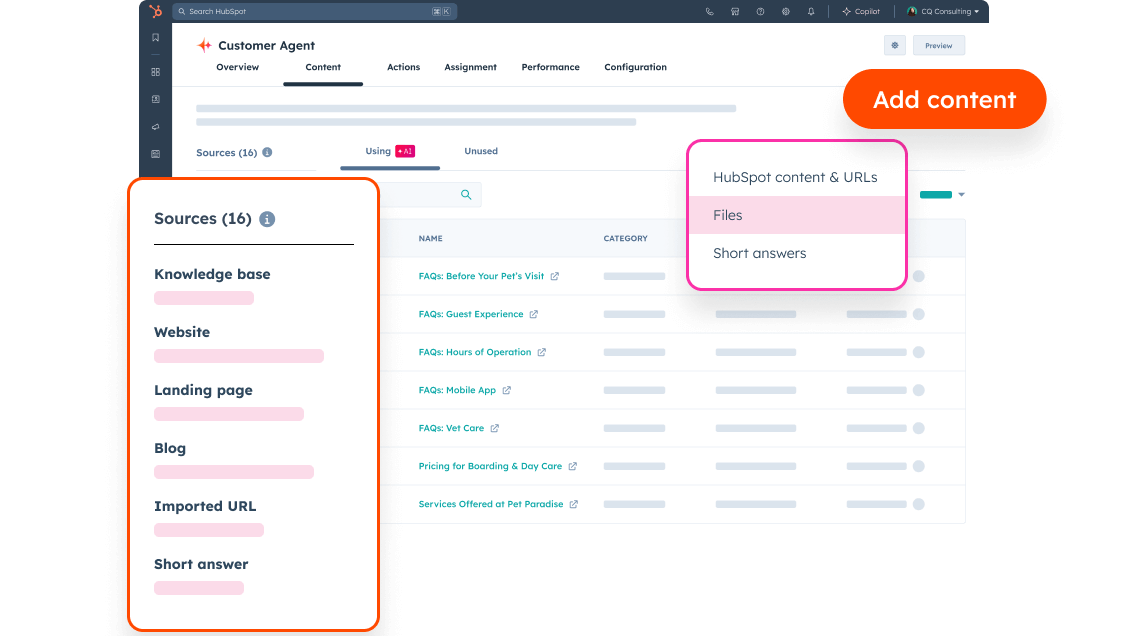
The Customer Agent is only as good as the content it's grounded in. It pulls from your existing HubSpot content, your help articles, and any public URLs you add as a source, and it uses that pool to generate cited answers rather than guessing.
That means the setup step where you choose content sources is worth treating carefully, not rushing through. If you toggle on Import related URLs, decide deliberately whether you want the agent crawling your entire domain or only specific paths, since outdated or irrelevant pages in that pool can surface in customer-facing answers. Keeping your knowledge base and help docs current is the single biggest lever you have over answer quality.
How much does Customer Agent cost in HubSpot?
The Customer Agent is available with Marketing Hub, Sales Hub, Service Hub, Data Hub, or Content Hub Professional or Enterprise, or with Smart CRM Professional or Enterprise. There's no extra cost to create and configure the agent, and previewing or testing it never uses HubSpot Credits.
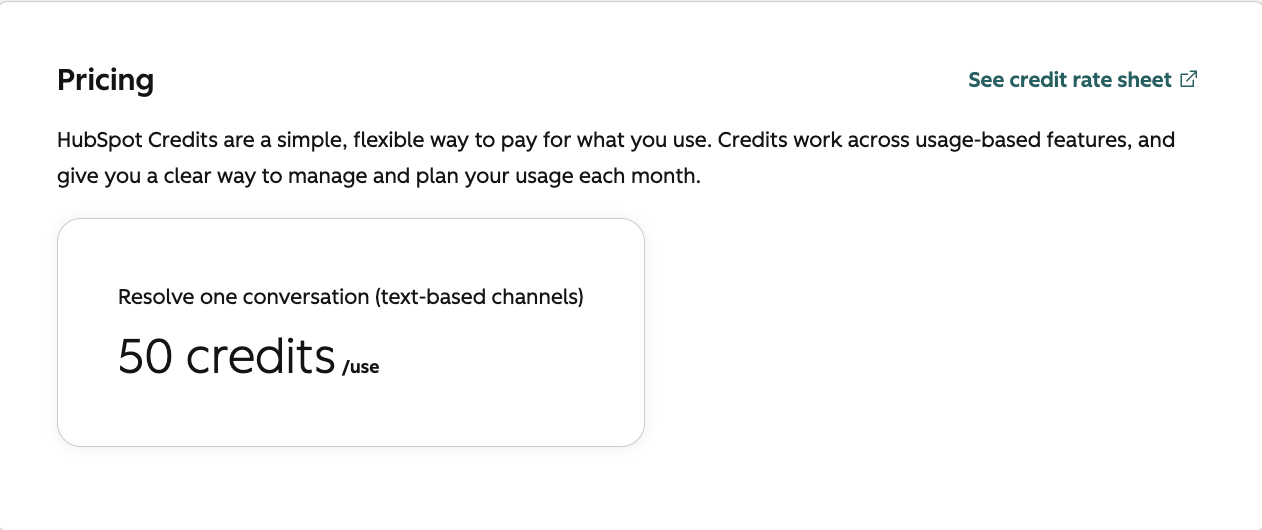
HubSpot Credits are required once you deploy the agent to a live channel, and credits are consumed only when the agent actually delivers a resolution, not for every message it sends. If you're setting it up for the first time, you can opt in to 14 days of free access, during which the agent doesn't use credits at all. To create, edit, or manage the agent, you'll also need Customer agent editor permissions and an assigned seat.
How can I use HubSpot's Customer Agent?
You can use HubSpot's Customer Agent to absorb repetitive support volume across your team, with each role getting a different benefit depending on how they use it.
| Role |
Customer Agent Use |
Benefit of using the Customer Agent |
| Support reps |
Let the agent answer repetitive questions like return policy or password resets |
Spend time on the complex cases that actually need a person |
| Support managers |
Monitor knowledge gaps and content source performance |
Know exactly which docs to fix or update next |
|
Marketing/ Content teams
|
See which help articles get cited most in agent answers |
Prioritize which content to keep accurate and current |
| RevOps / admins |
Configure handoff rules and CRM permissions |
Control exactly when and how a conversation reaches a human |
The Customer Agent isn't meant to replace your support team, it's meant to absorb the repetitive share of your inbound volume so reps can focus where a human actually adds value. Start with a small, well-maintained set of content sources, test thoroughly with real questions before deploying to a live channel, and widen its scope only once you trust what it's citing.
How can you monitor and improve HubSpot Customer Agent performance?
HubSpot’s Customer Agent gives support teams visibility into what the AI agent uses as knowledge sources, how it is performing, and where its answers can be improved.
You can check the sync status of crawled website pages directly in the Customer Agent to confirm that connected sources are up to date. The source usage report shows which knowledge sources, such as help articles or public URLs, are being used to generate Customer Agent answers. HubSpot also provides Deployment Recommendations based on your current setup to help identify where the agent can be used.
How does Customer Agent coaching work?
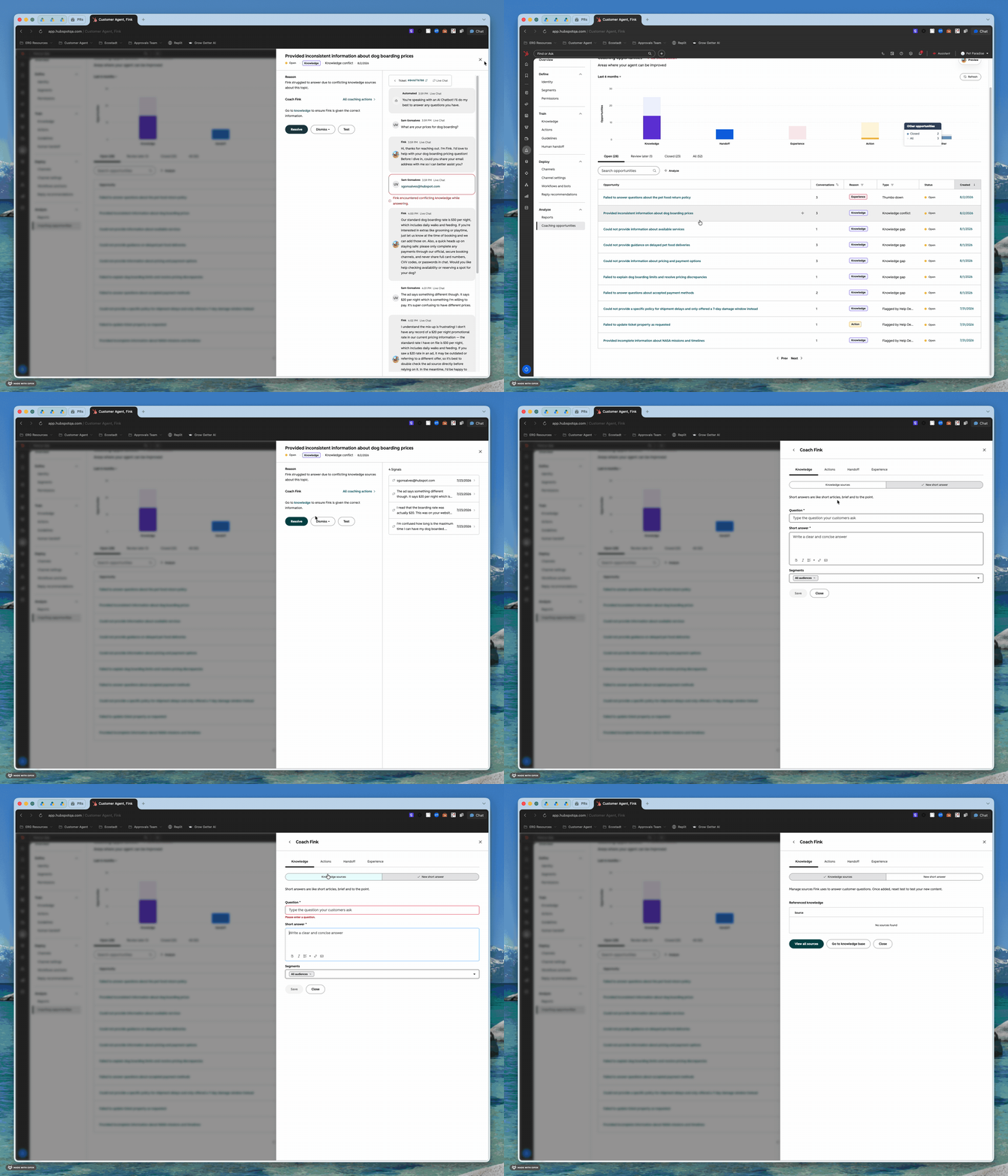
Customer Agent coaching identifies specific opportunities to improve AI-generated customer support responses. HubSpot can flag:
- Conflicting Knowledge Sources: identifies contradictions between connected content.
- Low CX Score: highlights conversations where the customer experience was poor.
- Thumbs Down: surfaces responses that visitors rated negatively.
Combined with the Customer Agent performance report, these insights help support teams identify which sources, conversations, and answers need attention.
How does Customer Agent support multilingual customers?
HubSpot’s Customer Agent can cite sources in the visitor’s language, even when the original source content is written in another language. This makes its answers and supporting information more accessible for businesses supporting customers across multiple markets.
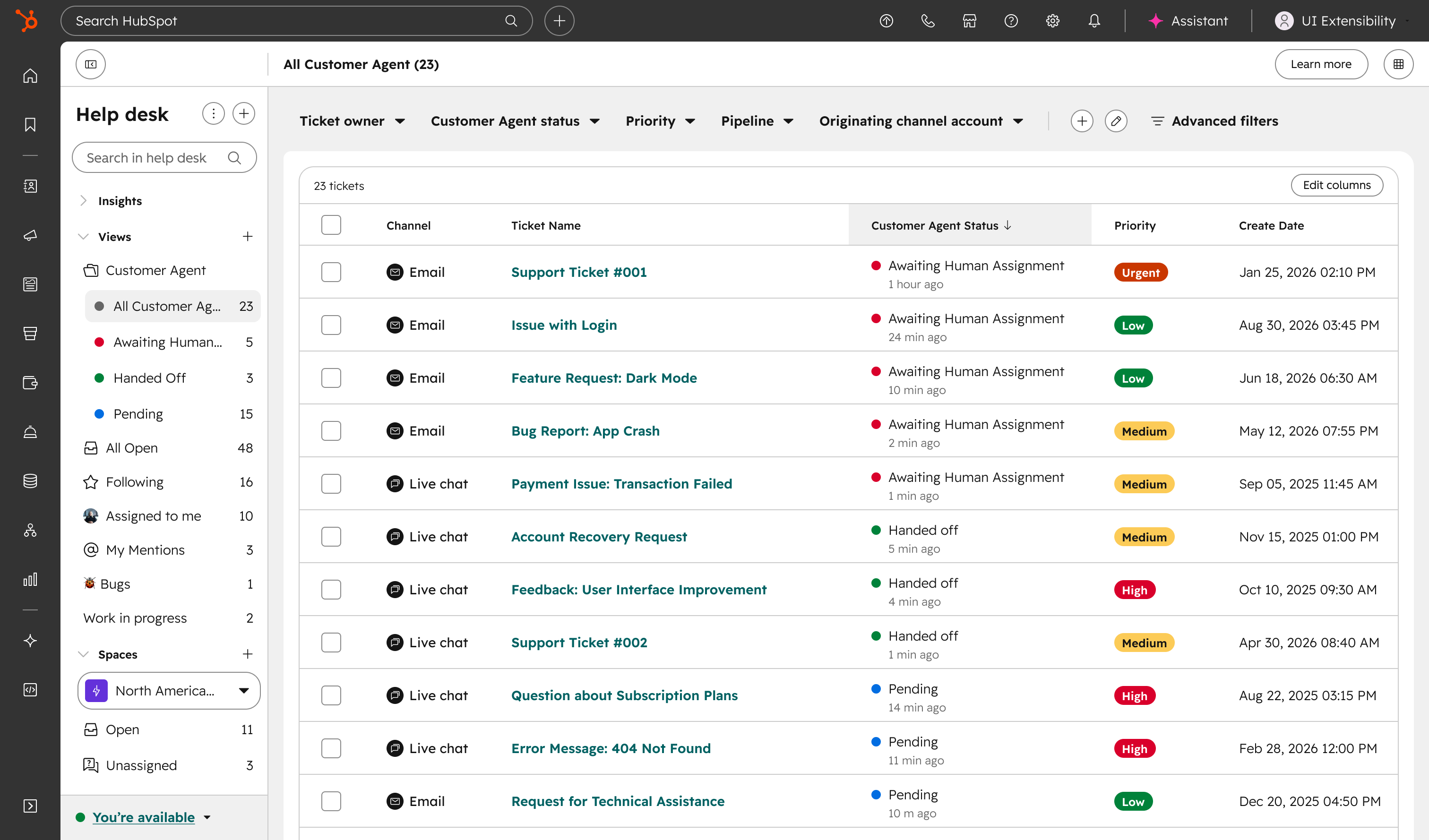
Customer Agent conversations are also organized in a dedicated Customer Agent folder in Help Desk. Support reps can assign conversations to Customer Agent directly from the Help Desk or Inbox Ticket Owner dropdown, allowing the AI agent to take over conversations it was not originally handling.
How Thalox Helps You Get the Customer Agent Set Up
Getting real value out of the Customer Agent depends less on flipping it on and more on the groundwork behind it, and that's where most teams get stuck. Thalox's certified HubSpot consultants help you audit and clean up the knowledge base articles and help content you're about to connect as a source, so the agent is answering from documentation that's accurate and current rather than outdated pages. We also help configure guidelines, personality, and handoff rules so escalations land with the right rep instead of stalling, and run the agent through a real batch of customer questions during testing before it ever touches a live channel.
Not sure whether your portal is ready for HubSpot's AI features? Start with a free Thalox Health Check: our consultants analyze your current setup, flag problem areas, and hand you a prioritized list of optimizations. Contact Thalox to get started.
