If your HubSpot data doesn't behave the way it looks, inconsistent property values are probably why. The fix is simpler than it sounds: standardize what goes into each property, and automate it so it stays that way.
Table of content:
What are HubSpot properties?
HubSpot properties are the fields that store information about your contacts, companies, deals, and tickets.
Every piece of data in your CRM lives inside a property: country, job title, industry, lifecycle stage, lead source.
They are the foundation of how you organize, segment, and report on your database. When properties are well structured and consistently filled, everything built on top of them works. When they aren't, nothing quite does.
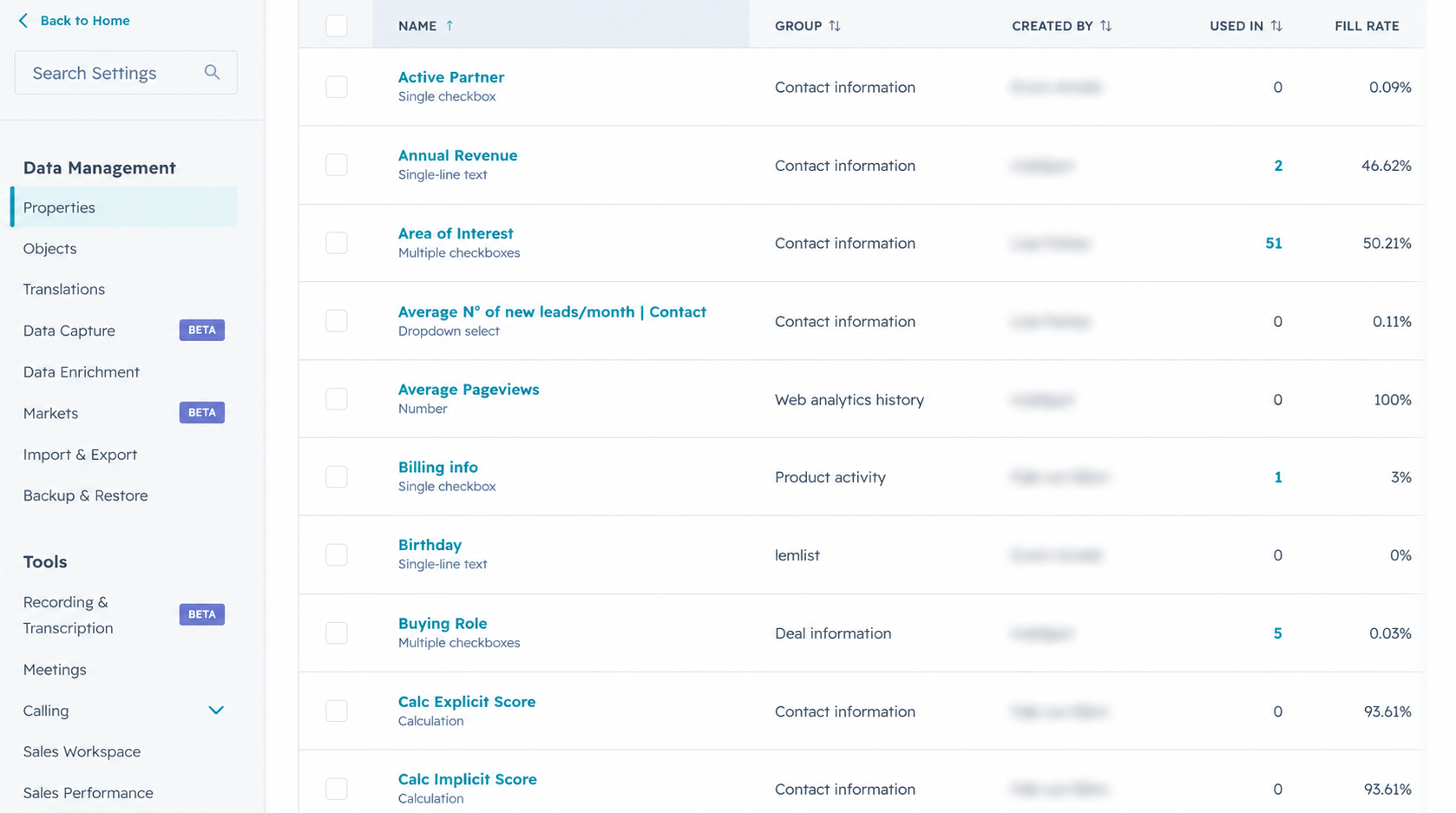
What are inconsistent HubSpot property values?
HubSpot gives you the structure. It doesn't control what people put inside it.
As your team grows and more data flows in, from forms, imports, integrations, and manual entry, property values start to diverge. The same piece of information gets stored in different ways by different people, at different times, through different sources.
The result is a database that looks complete but behaves as if it isn't. Filters don't catch everything they should. Segments miss contacts. Reports show numbers that don't add up.
And when you try to run a campaign based on a specific property, you realize you need to clean the data first, which means someone spends time doing that instead of actually running the campaign.
Some common examples of what this looks like:
-
Country fields: "Germany", "DE", "deutschland", "Germany (DACH)" - four values, one country.
-
Job titles: "Marketing Manager", "manager, marketing", "Head of Marketing" - overlapping roles that make seniority-based segmentation unreliable.
-
Industry values: Free-text fields filled by different people in different ways, making any industry-based report a rough estimate at best.
-
Lifecycle stages: Sometimes it's a data entry issue, sometimes it's an integration writing values in a format that doesn't match what the team uses internally.
None of these break your HubSpot portal. They just make it progressively harder to trust what's in it.
How do inconsistent properties affect HubSpot segmentation and reporting?
Inconsistent property values aren't just a hygiene issue. They have a direct impact on areas that most HubSpot users rely on daily.
Examples:
Segmentation: Lists built on property filters only capture contacts whose values match exactly. If you filter for "Germany" and half your German contacts are stored as "DE", that segment is already incomplete before you even use it.
Reporting: Dashboards and custom reports group data by property values. Inconsistent values mean the same category appears split across multiple rows, and totals that should be one number become several smaller ones that don't tell a coherent story.
Campaigns: Enrollment criteria, personalization tokens, and dynamic content all depend on clean, consistent property data. When values are fragmented, campaigns either miss their audience or deliver the wrong message to the wrong people.
The longer inconsistent data sits in a CRM, the more it compounds. What starts as a minor annoyance becomes a structural problem that affects every team touching HubSpot.
How do you clean up HubSpot properties manually?
The instinctive response to messy data is a cleanup sprint:
-
Export the data
-
Identify the inconsistencies
-
Standardize the values
-
Re-import.
It works, once. But it doesn't prevent the problem from returning. New data comes in through the same channels, with the same variation, and within weeks or months the issue is back.
Manual cleanup is also time-consuming in proportion to the size of the database. For a small portal with a few thousand contacts, it's manageable. For larger databases with dozens of properties and multiple data sources, it becomes a recurring cost in time and attention that most teams can't sustain.
There's also the question of who owns it. Data cleanup tends to fall to whoever notices the problem first, which isn't a sustainable process.
How do you automate HubSpot property normalization?
The one and only solution, for now, is the Thalox Normalizer.
It's a feature within the Thalox Suite built specifically for this problem. Instead of cleaning data manually and hoping it stays clean, this feature lets you define normalization rules for any HubSpot property, and then applies them automatically.
Here's how it works:
- Select the HubSpot property you want to normalize
- Define the clean, standardized values you want to use (you can edit them if you want)
- Sync the normalized output back into HubSpot as a new property
- Keep the original property untouched while you can start using the normalized and clean version
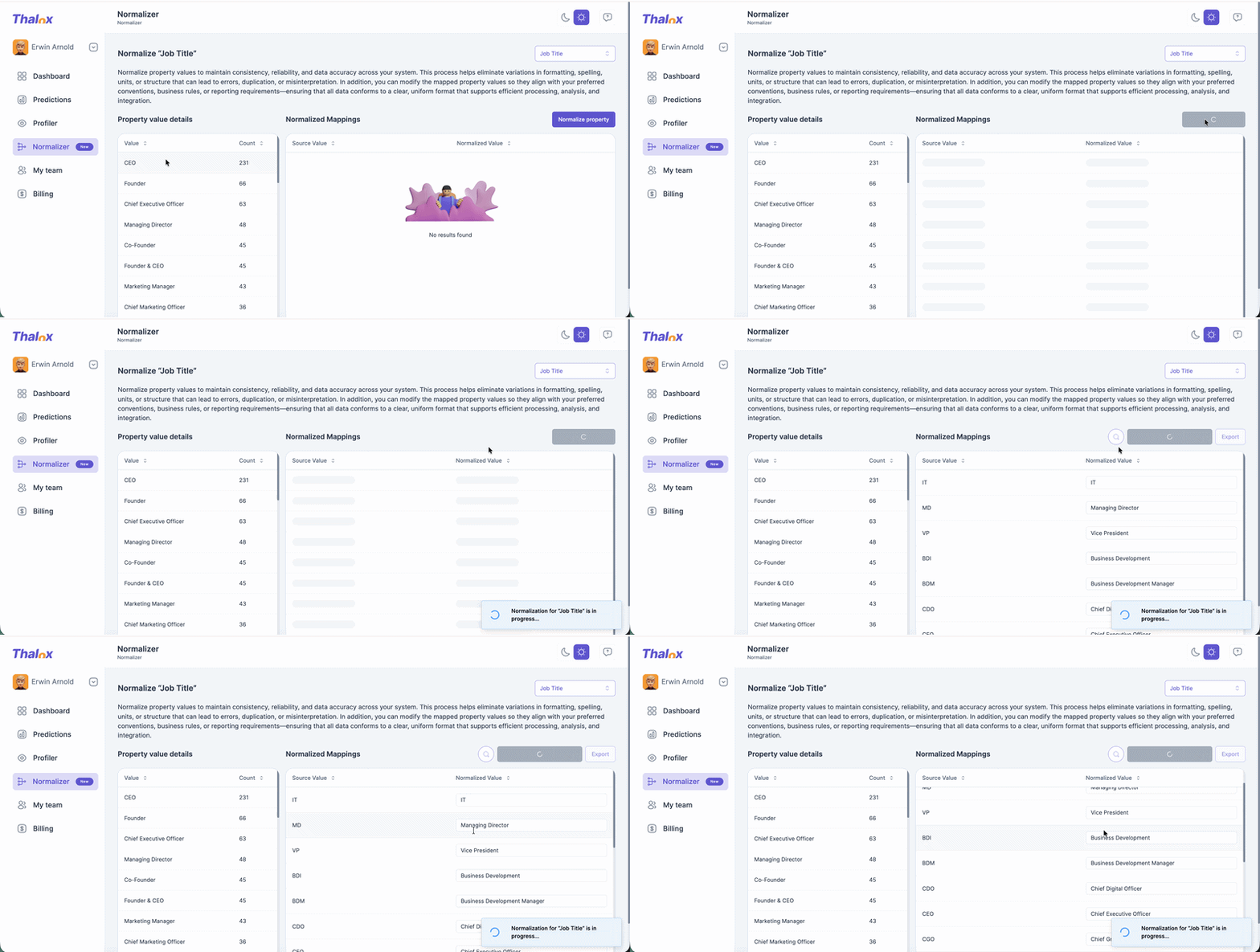
That last point matters. The original property stays untouched.
What you get is a normalized version that you can use for segmentation, reporting, and campaigns with confidence, while keeping a record of what was originally captured.
What does HubSpot property normalization look like in practice?
Take the country field example. Before normalization, a segment built on "Country = Germany" might capture 60% of the contacts it should, because the rest are stored as "DE", "deutschland", or some other variant.
After setting up a normalization rule with the Thalox Normalizer, all of those values map to a single standardized output. The segment now captures 100% of the relevant contacts, without any manual intervention.
The same logic applies to any property where variation is a problem: industry, job title, lifecycle stage, lead source, region...
Wherever your data has drift, normalization brings it back into alignment.
Watch this AWL episode where Lisa shows exactly how it works:
If you're using the Thalox Suite, the Normalizer is already available to you.
Clean data doesn't just make your CRM look better. It makes everything built on top of it work better too.
