AI tools
What is the Prospecting Agent in HubSpot (and why use it)?
An overview of HubSpot's Prospecting Agent. How to set it up, its benefits, source of truth, and practical use cases for sales teams.
 Go to home
Learn how to set up an internal FAQ assistant in HubSpot with Breeze and build practical use cases teams actually use.
Update note (August 2026): HubSpot has changed how this works since this guide was first published — the Internal FAQ Assistant is no longer a standalone Breeze Agent you install from a marketplace. Standalone assistants like this don't exist anymore; it's now set up as a Project inside Breeze Assistant instead. We've updated the steps below to match.
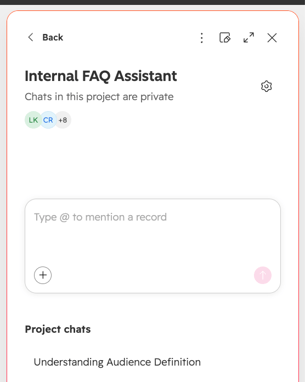
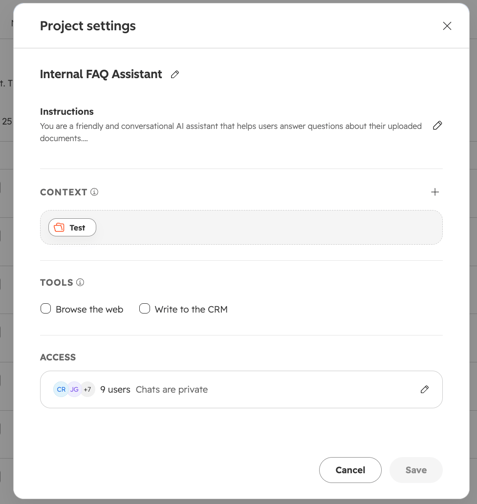
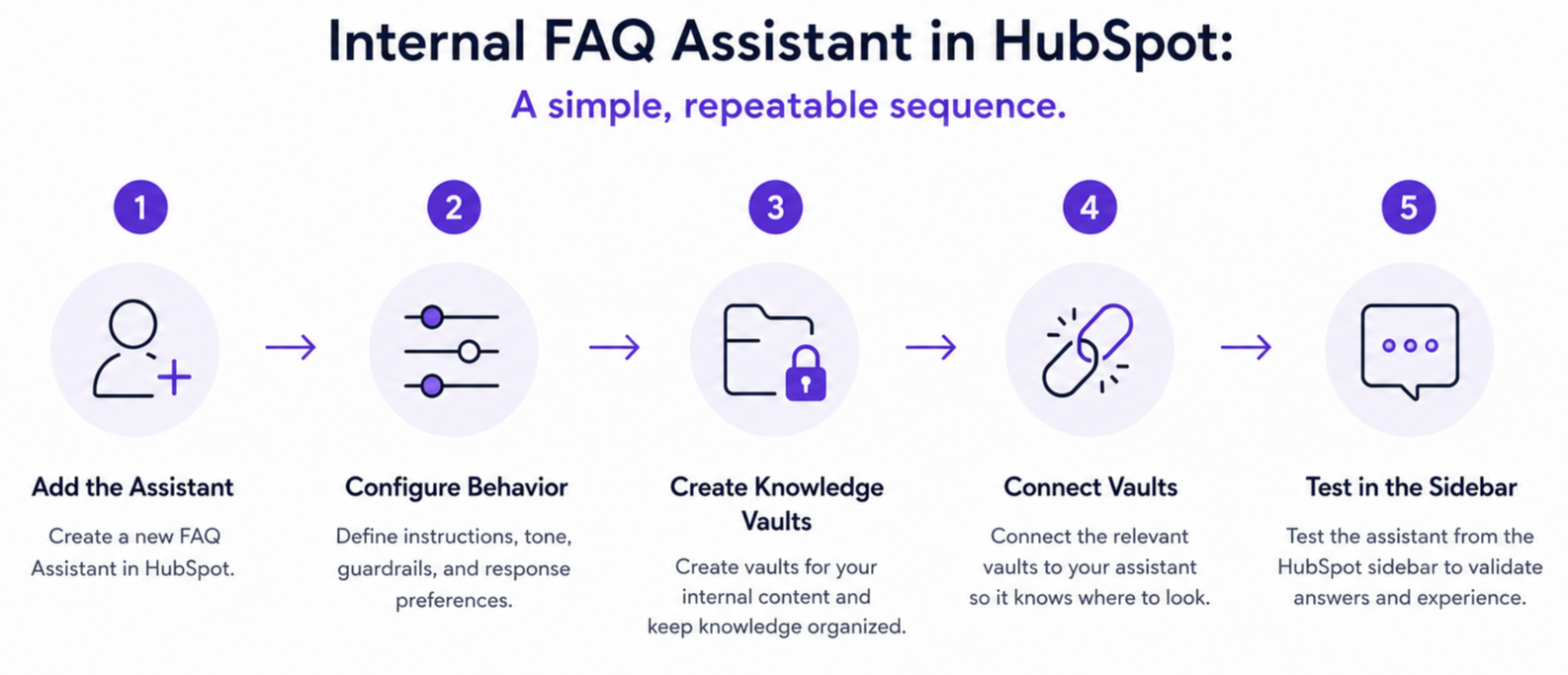
To set up the Internal FAQ Assistant in HubSpot, create it as a Project inside Breeze Assistant rather than installing it as a standalone agent. Open Breeze Assistant, use the projects icon to start a new project (from scratch or from a template), give it clear instructions describing which topics and teams it supports and what it should not answer, then connect a Knowledge Vault as its context.
Then create Knowledge Vaults as its source of truth: upload your cleaned SOPs, PDFs, and internal documentation into themed vaults (for example, naming standards, lifecycle stages, deal processes), and add them as context to the project.
Finally, test it with real questions from your teams, refine the instructions if needed, and only then roll it out with a short internal announcement and a few example prompts.
Before your team can benefit from an internal FAQ assistant, you need a clear plan: what it should answer, which documents it can use, and how you will keep it accurate. This guide walks through the setup in HubSpot with Breeze and then shows concrete, low-friction use cases your colleagues will adopt.
Table of contents:
An internal FAQ assistant is an AI helper that answers employees’ questions based on approved internal documentation. It lives inside your CRM sidebar, uses curated knowledge (not the public web), and is controlled by admins, so answers stay accurate, consistent, and safe for everyday use across teams.
 What it is
Why use it
Set up the Assistant by following these steps:
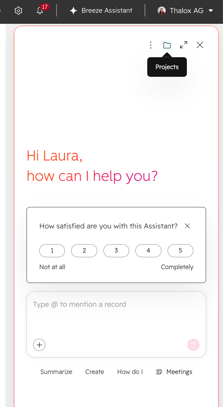
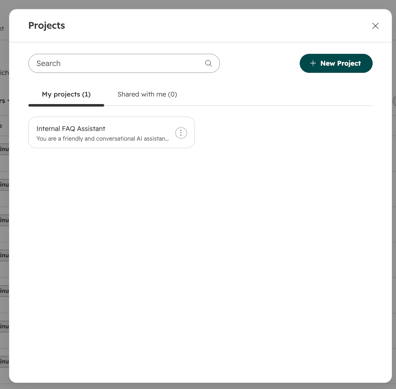
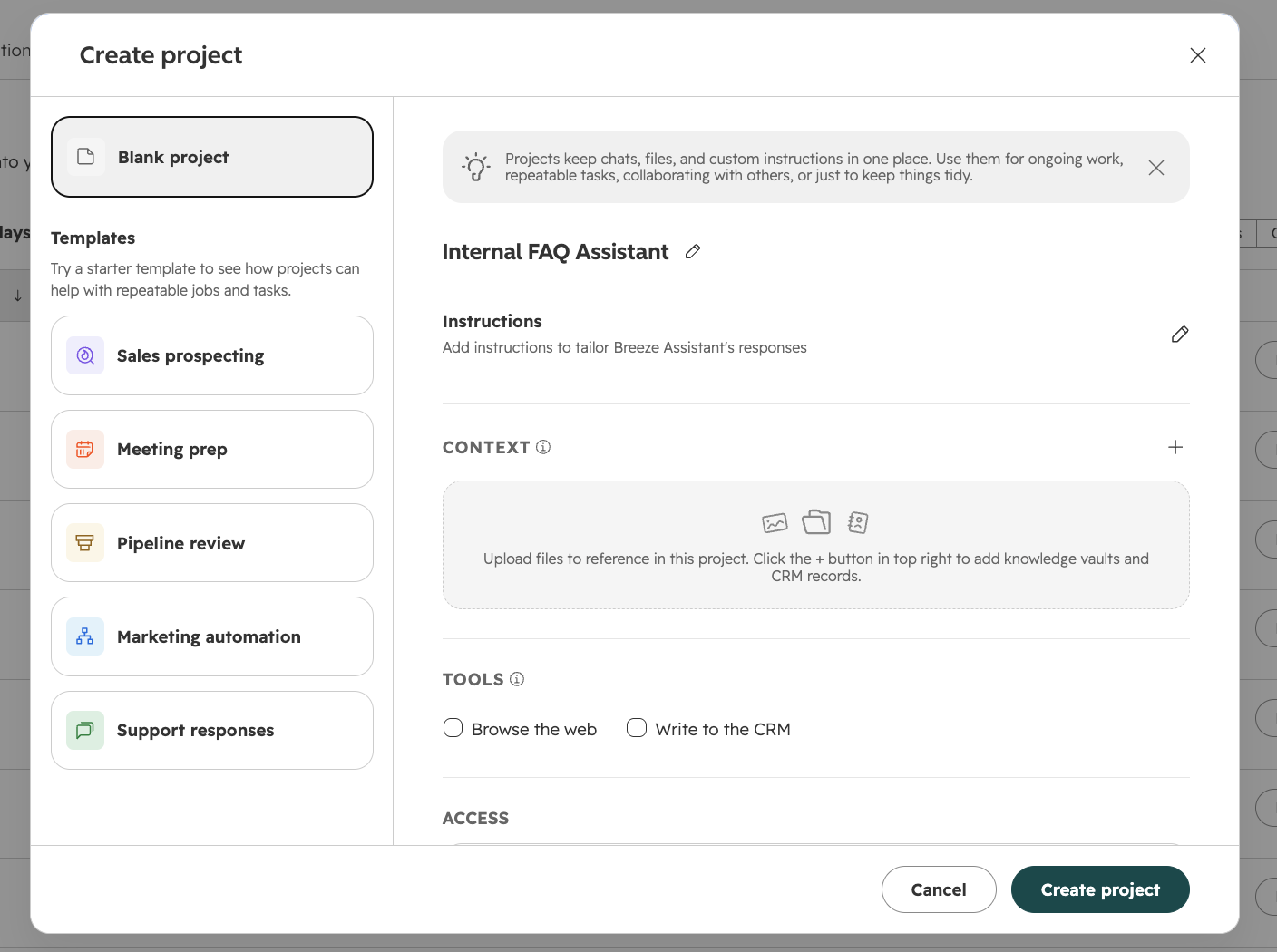
Managing it afterward: open the project's three-dot menu to Edit its name, instructions, context, tools, or access at any time (click Save when done), or to Delete it if it's no longer needed. Breeze also automatically stores relevant details from conversations as Memories, which you can review and manage from Assistant's three-dot menu.
A powerful assistant starts with structured internal knowledge, not with clever prompts. Before setup, decide which documents are the "source of truth" for each topic and clean them up so the AI can read them clearly and consistently.
Start by listing your high-friction questions: "How do I name workflows?", "Which lifecycle stage should I use?", "Where do I store webinar assets?" Then locate the existing answers across your knowledge base, PDFs, slide decks, and internal wikis. Combine or update them into a small number of concise, clearly formatted documents.
Next, group those documents into themes that match real workflows: naming and folder structure, deal stages, data standards, and request processes. In HubSpot, turn each theme into a Knowledge Vault (or a collection inside one) so you can add the right content as context to the right project.
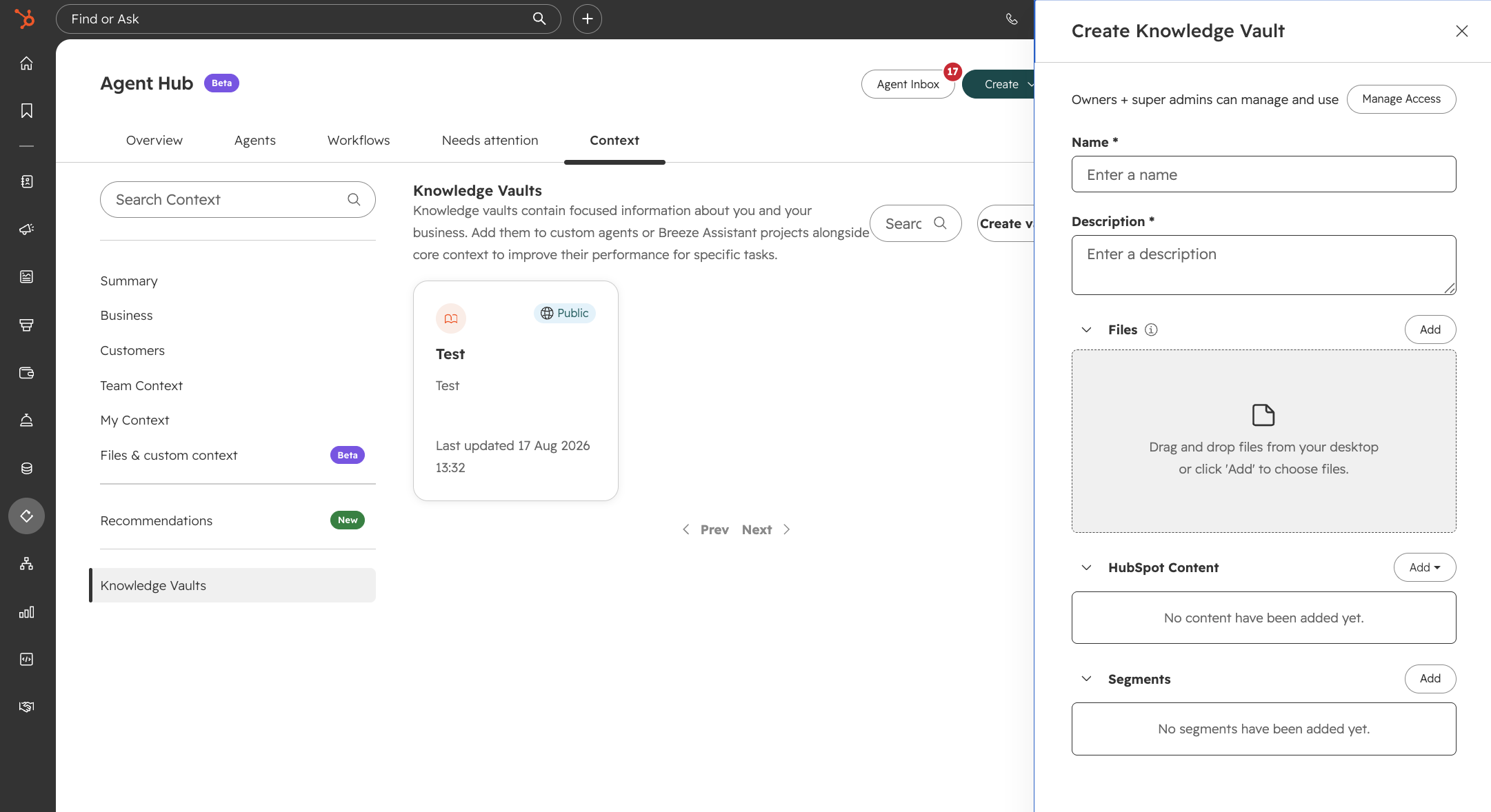
Adoption rises sharply when employees can trust that answers come from a maintained, transparent repository rather than from guesswork — so assign an owner to each document set and agree on a simple update cadence.
Finally, remove drafts and outdated files from the vaults you connect. If the assistant can read it, your team can see it in answers — so keep that input clean.
Well-designed internal FAQ use cases make the assistant feel practical on day one. Instead of saying "Ask it anything," give each team a short menu of ready prompts that match their daily tasks.
Start with naming conventions and campaign structure. A marketer might ask "How should I name a Q4 webinar campaign for new leads in North America?" and the assistant replies with the correct pattern and folder path.
Define use cases around deal stages, playbooks, and qualification rules. A rep can ask "When should I move a deal to Proposal Sent?" or "What's the process if a prospect requests a discount?" and get the official criteria or a link to policy.
Focus on renewals, escalations, and internal request flows — "How do I log a renewal forecast?" or "Which form do I use to request a new integration?" Every answer should map back to an SOP stored in your vaults, so process drift is reduced.
When the Internal FAQ Assistant is built on clear sources of truth and defined use cases, it stops being a standalone AI feature and becomes part of how your teams work in HubSpot.
Begin with a few critical workflows, monitor where the assistant removes repetitive questions, then extend its scope. Used this way, the Internal FAQ Assistant continually standardizes and optimizes daily execution in HubSpot.
Article updated in August 2026.
An overview of HubSpot's Prospecting Agent. How to set it up, its benefits, source of truth, and practical use cases for sales teams.
HubSpot Breeze AI helps you streamline tasks, create content, and manage data efficiently with integrated AI tools. Learn about its features and...
How accurate is HubSpot's Company Research Agent? What it's grounded in, why it's still in beta, and how to use it without over-trusting it.