Lead Scoring
What is Combined Score in HubSpot?
Optimize lead qualification with HubSpot's combined score, blending engagement and profile fit for better sales alignment and higher conversion...
 Go to home
Learn how to build a lead scoring model in HubSpot and prioritize high-value leads to improve conversions.
Generating leads is only the first step in a successful marketing strategy. The real challenge is identifying which leads are most likely to become customers.
Many companies collect large volumes of contacts in their CRM but struggle to identify which ones warrant immediate attention. Without a clear prioritization system, sales representatives may spend time reaching out to low-quality prospects while high-intent leads remain unnoticed.
This is where lead scoring becomes essential.
By implementing a lead scoring model, businesses can rank leads according to their likelihood to convert and ensure that marketing and sales teams focus on the opportunities with the highest potential.
In this article, we’ll explain how to build a lead scoring model using HubSpot and offer you a free Lead Scoring framework template to help you structure your scoring.
Table of concepts:
Lead scoring is a systematic approach to ranking leads based on their likelihood to convert into customers.
Each lead is assigned a score according to predefined criteria, such as:
These scores help teams identify which leads are ready for sales outreach and which ones need further nurturing.
Tools like HubSpot allow companies to automate this process by tracking interactions across the entire customer journey and updating lead scores dynamically as new data is collected.
Companies that implement lead scoring in HubSpot often see significant improvements in how marketing and sales teams manage leads.
Improved Sales efficiency -- Instead of contacting every new lead, sales teams can focus on the prospects that are most likely to convert.
Better Marketing and Sales alignment - Lead scoring helps define when a lead becomes sales-ready, creating a smoother handoff between marketing and sales teams.
Higher Conversion Rates - When sales teams focus on high-intent leads, conversations become more relevant and the chances of closing deals increase.
Smarter Lead Segmentation & Prioritization - It helps you segment leads more effectively and prioritize who to contact first, ensuring high-value prospects get attention faster.
" Organizations that use lead scoring experience a 77% increase in lead generation ROI." Source
HubSpot includes built-in tools that allow teams to create and automate lead scoring models using contact properties and behavioral data.
For more details, check HubSpot’s guide: Understand the Lead Scoring Tool.
With HubSpot, you can:
This automation makes it easier to prioritize leads in real time and ensure sales teams always focus on the most promising opportunities.
However, before implementing scoring rules in HubSpot, you first need to define a clear scoring model.
Creating an effective lead scoring model requires defining the right criteria and assigning appropriate values to each signal.
Start by identifying the characteristics of your best customers.
These attributes help determine how closely a lead matches your ideal target audience.
Common criteria include:
Leads that closely match your ideal customer profile should receive higher scores.
Next, identify the behaviors that indicate interest in your product or service.
These signals typically come from marketing interactions and website activity.
Examples include:
The more engaged a lead is with your content, the more likely they may be ready for a sales conversation.
Once you’ve defined your criteria, the next step is to assign points to each one based on how important it is for predicting conversion.
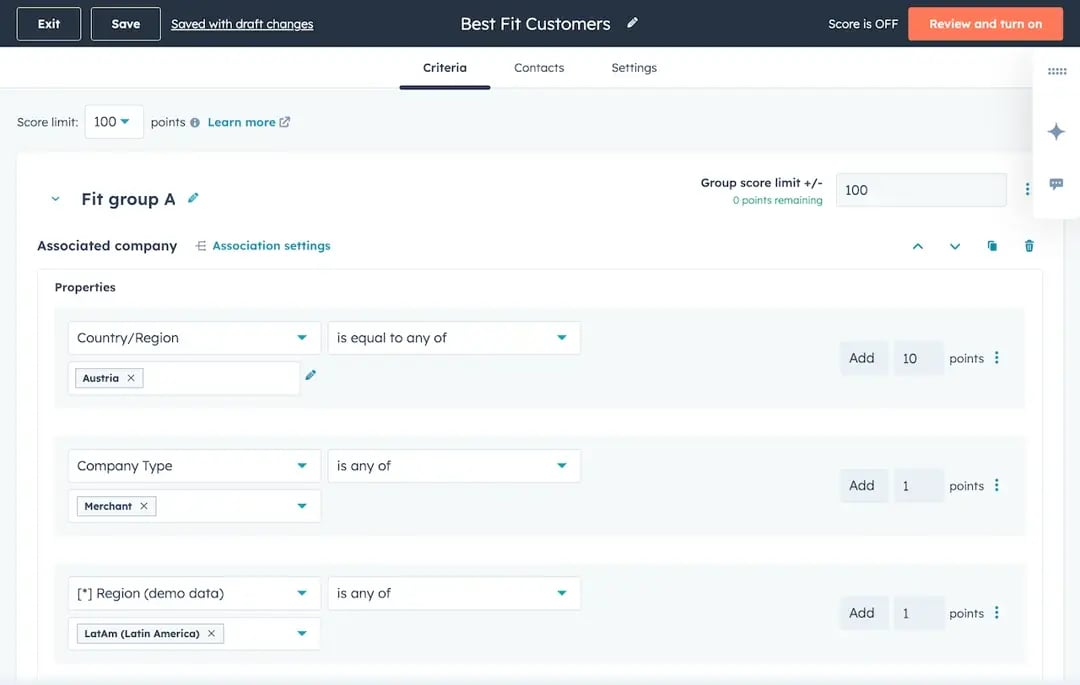
As I mentioned, in HubSpot, criteria are usually divided into two categories:
Source: HubSpot
Each criterion contributes a certain number of points. You can assign both positive and negative points, depending on whether the attribute or action increases or decreases the likelihood of conversion. For example, visiting a pricing page may add points, while a lead outside your target region may subtract points.
When these points are added together, they create two different scores:
Fit Score – the total of all points related to profile criteria, showing how closely a lead matches your Ideal Customer Profile (ICP).
Engagement Score – the total of all points related to behavior criteria, reflecting how actively the lead interacts with your content and campaigns.
For both engagement and fit scores, leads can be categorized into High, Medium, or Low. For example, you might define 70–100 as High, 40–69 as Medium, and -100–39 as Low, depending on your scoring model.
Together, these scores help you understand both how well a lead fits your target audience and how engaged they are, making it easier to prioritize the right opportunities.
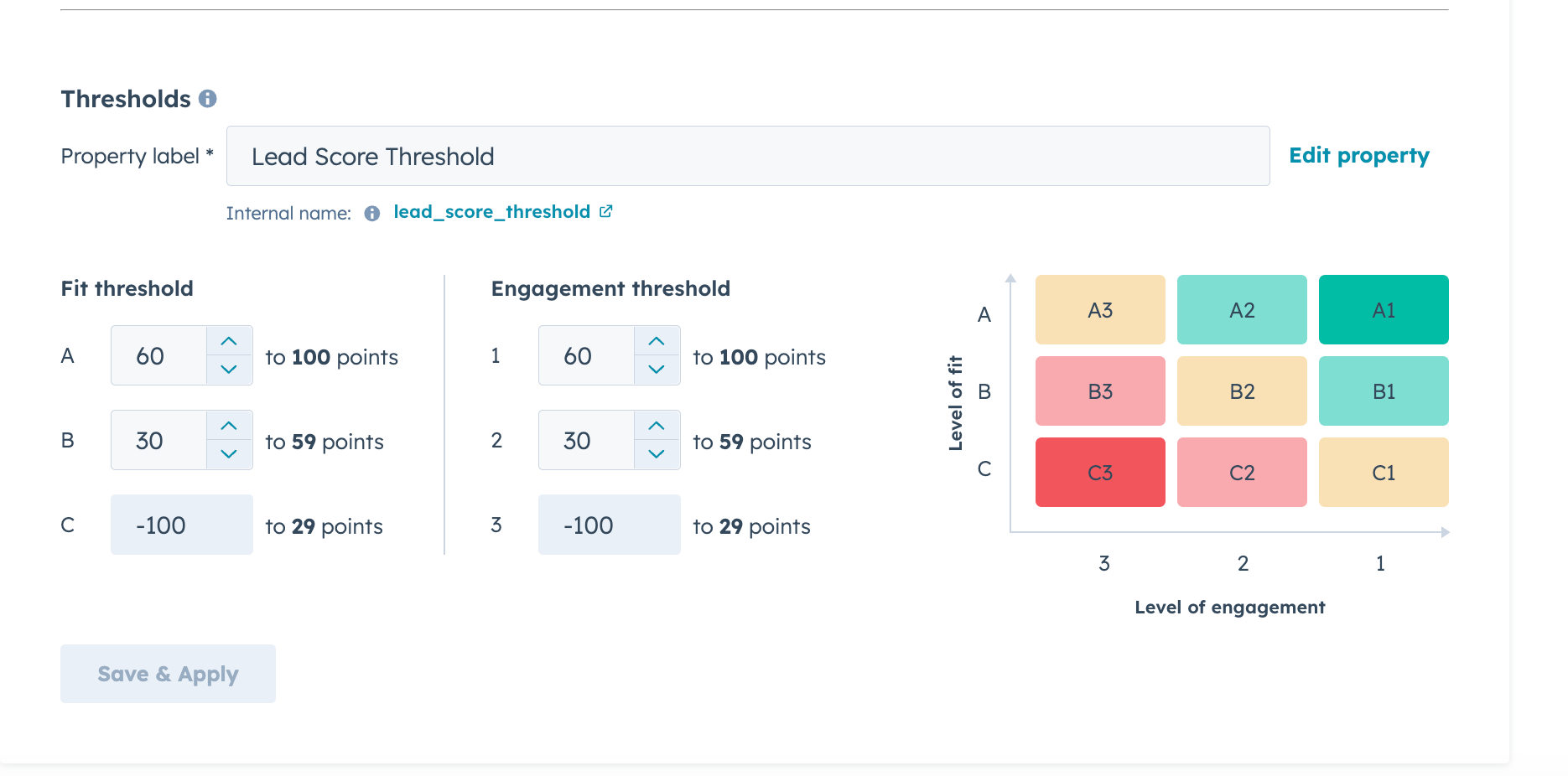
HubSpot’s combined score is a feature that combines the Engagement Score and the Fit Score to evaluate leads based on both who they are and what they do. This provides a more complete view of lead quality and helps marketing and sales teams prioritize the most promising prospects.
For example, a lead with a Profile = A (perfect fit) and Behavior = 1 (highest engagement) would be scored as A1, representing the ideal lead to prioritize.
By combining profile and behavior scores, HubSpot calculates a single combined score, allowing you to focus on leads that are both a great fit and highly engaged.
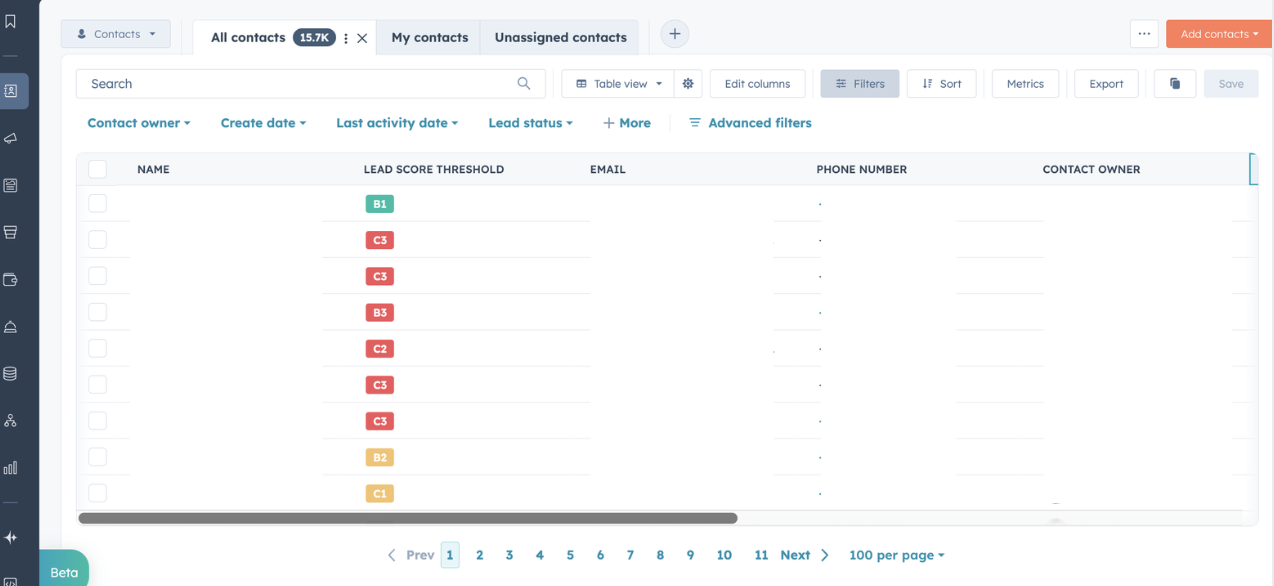
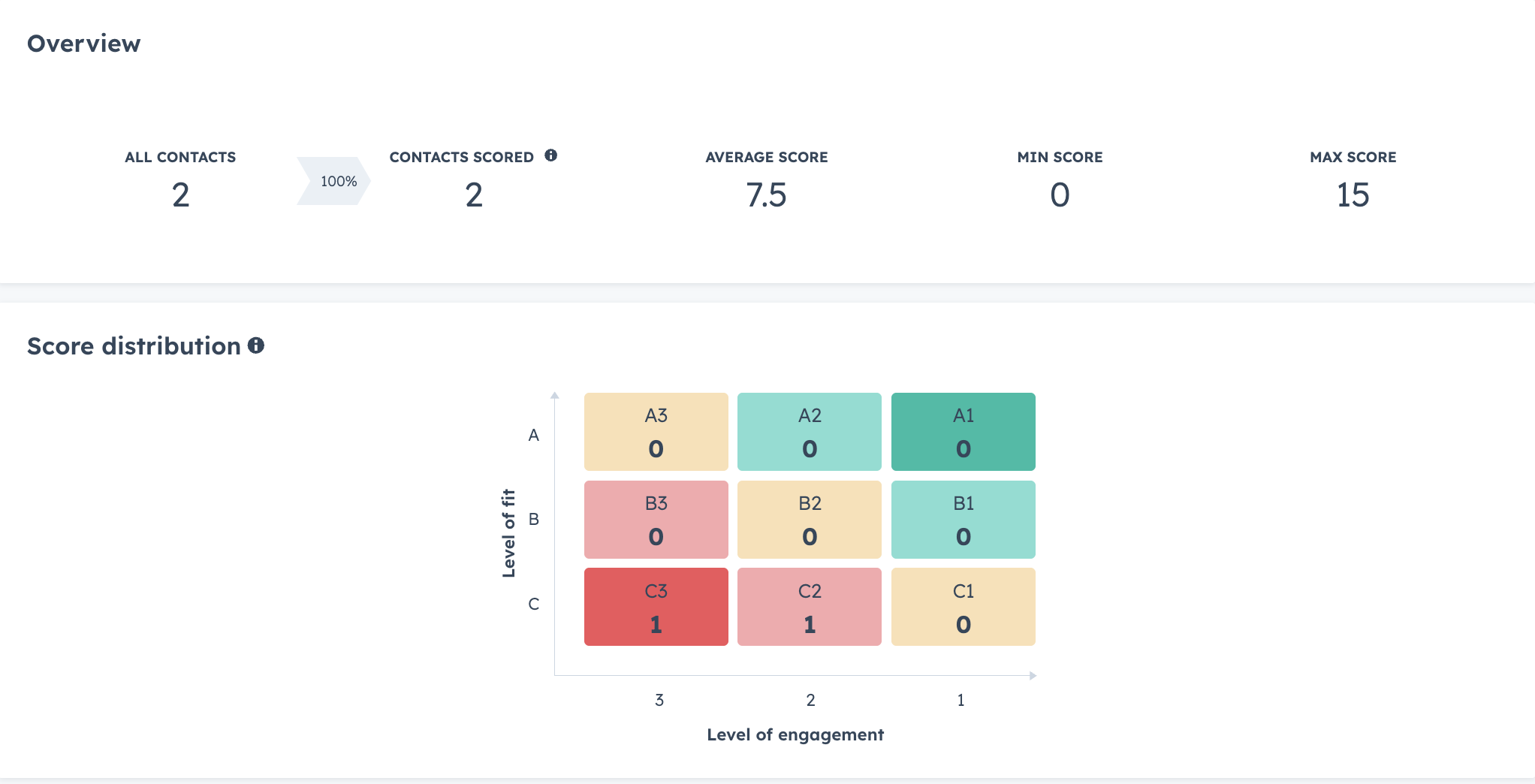
After defining your scoring logic, you can implement the model directly in HubSpot.
HubSpot allows you to:
This automation ensures that lead prioritization happens continuously as new data enters your CRM.
While tools like HubSpot make it easy to implement lead scoring, many teams struggle with defining the right scoring framework.
Common challenges include:
Without a clear structure, lead scoring models can quickly become inconsistent or overly complex.
This is why many teams prefer to design and test their scoring model in a spreadsheet before implementing it in their CRM.
To make this process easier, we’ve created a Lead Scoring template that lets you define, adjust, and test your scoring criteria before adding them to HubSpot.
The template is designed to make the lead scoring process straightforward and customizable.
You can use it to:
Export your CRM data and analyze the fields you plan to score. Make sure the fields you want to score on have high fill rates, or if not use enrichment for explicit data. Using pivot tables can help you understand how your data is distributed and assign more accurate scores to each value.
This analysis can also help determine whether data normalization is necessary before applying your scoring model.
Adjust the scoring criteria and weights based on your business objectives and ideal customer profile.
This flexibility ensures that your scoring model prioritizes leads according to their real potential value.
The template also allows you to establish clear thresholds using a two-dimensional scoring model, combining lead fit and engagement.
This matrix helps classify leads into segments, making prioritization easier for both marketing and sales teams.
Optimize lead qualification with HubSpot's combined score, blending engagement and profile fit for better sales alignment and higher conversion...
Enhance your lead scoring strategy with HubSpot's new Marketing Hub feature and AI-powered tools for better lead qualification and higher conversion...
Redefine your HubSpot Lead Scoring Best Practices. In 6 steps, optimize your marketing operations leveraging AI tools.