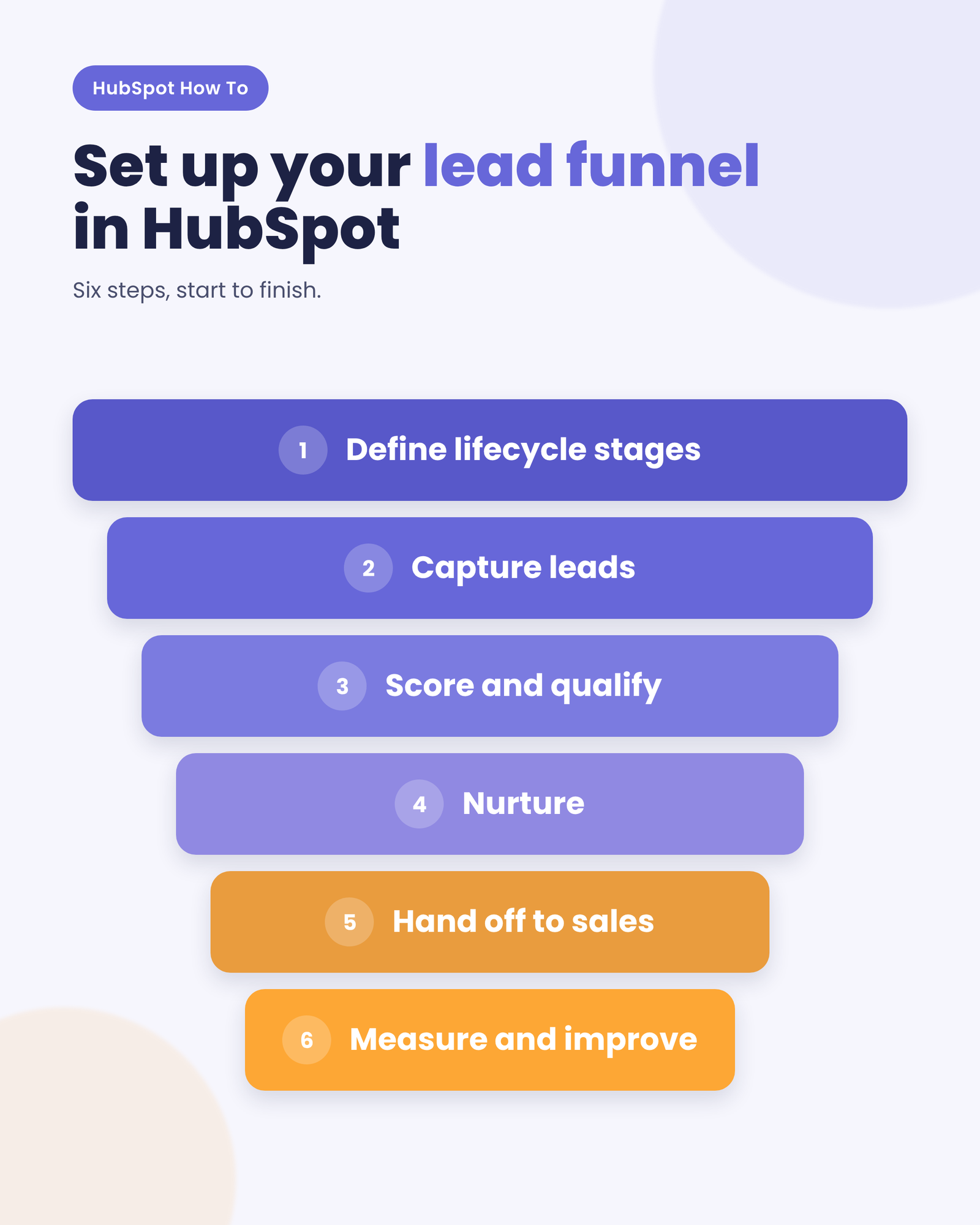
To set up a lead funnel in HubSpot, first agree on your stages with sales, then map them to lifecycle stages, score your leads, automate the move to MQL, manage the handoff with the Leads object, connect qualified leads to your deal pipeline and report on conversion between every stage.
Marketing celebrates 200 new MQLs. Sales looks at the same list and calls half of them "not real leads." Sound familiar?
This is not a people problem. It is a definition problem. And you can use HubSpot to fix it, but only if you set it up the right way.
What is a lead funnel?
A lead funnel is the series of stages a contact moves through, from first showing interest to becoming a paying customer. Each stage has a clear definition, a clear owner (marketing or sales), and clear criteria for moving to the next one. Its job is simple: make sure everyone counts every lead the same way.
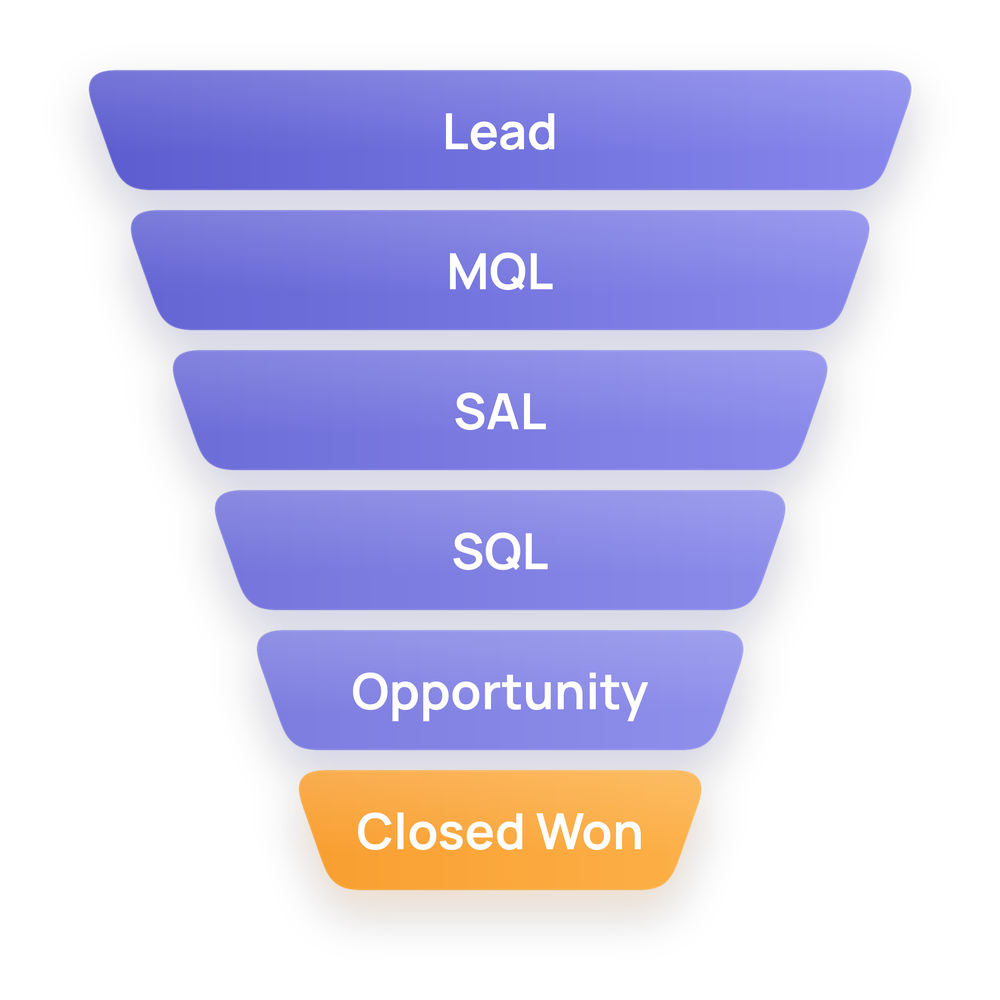 Most B2B lead funnels have six stages: Lead, Marketing Qualified Lead (MQL), Sales Accepted Lead (SAL), Sales Qualified Lead (SQL), Opportunity, and Closed Won.
Marketing owns the first two stages, and sales owns the last four. The step in between, when sales accepts a lead, is the one most teams skip, and it's exactly where leads go missing.
And why does it matter? Because without a lead funnel, every team counts leads and qualifies them differently. Marketing measures volume, sales measures revenue, and nobody is aligned.
On a shared lead funnel, you can see exactly how many leads move from one stage to the next, how long they stay there, and where they drop off. And once you can see it, you can fix it.
What do you need before you set up your lead funnel in HubSpot?
You need three things, agreed by marketing and sales and written down in one place. Skip this, and you'll just automate the disagreement.
- Stage definitions. What each stage means, in one sentence, and who owns it.
- Criteria. The exact fit and engagement signals that move a contact from one stage to the next.
- An SLA (service level agreement). Who does what, by when. For example: sales reviews every new MQL within 24 hours and either accepts it or sends it back with a reason.
Here's a simple starting point for your criteria:
|
Stage
|
Moves forward when...
|
Owner
|
|
Lead
|
Fills in a form, books a demo or is added by sales
|
Marketing
|
|
MQL
|
Matches your ideal customer profile and reaches your engagement threshold
|
Marketing
|
|
SAL
|
Sales has reviewed the lead and agreed to work it
|
Sales
|
|
SQL
|
Sales confirms a real need, budget and timeline
|
Sales
|
|
Opportunity
|
A deal is created in the pipeline
|
Sales
|
|
Closed Won
|
The contract is signed
|
Sales
|
What is the difference between an MQL and an SQL?
An MQL is a contact that marketing believes is ready for sales, based on fit and engagement. An SQL is a contact that sales has spoken to and confirmed as a real buying opportunity, usually with a known need, budget and timeline.
How to set up your lead funnel in HubSpot, step by step
HubSpot already gives you most of the building blocks. The work is in configuring them around the definitions your teams agreed on.
Step 1: Map your stages to lifecycle stages
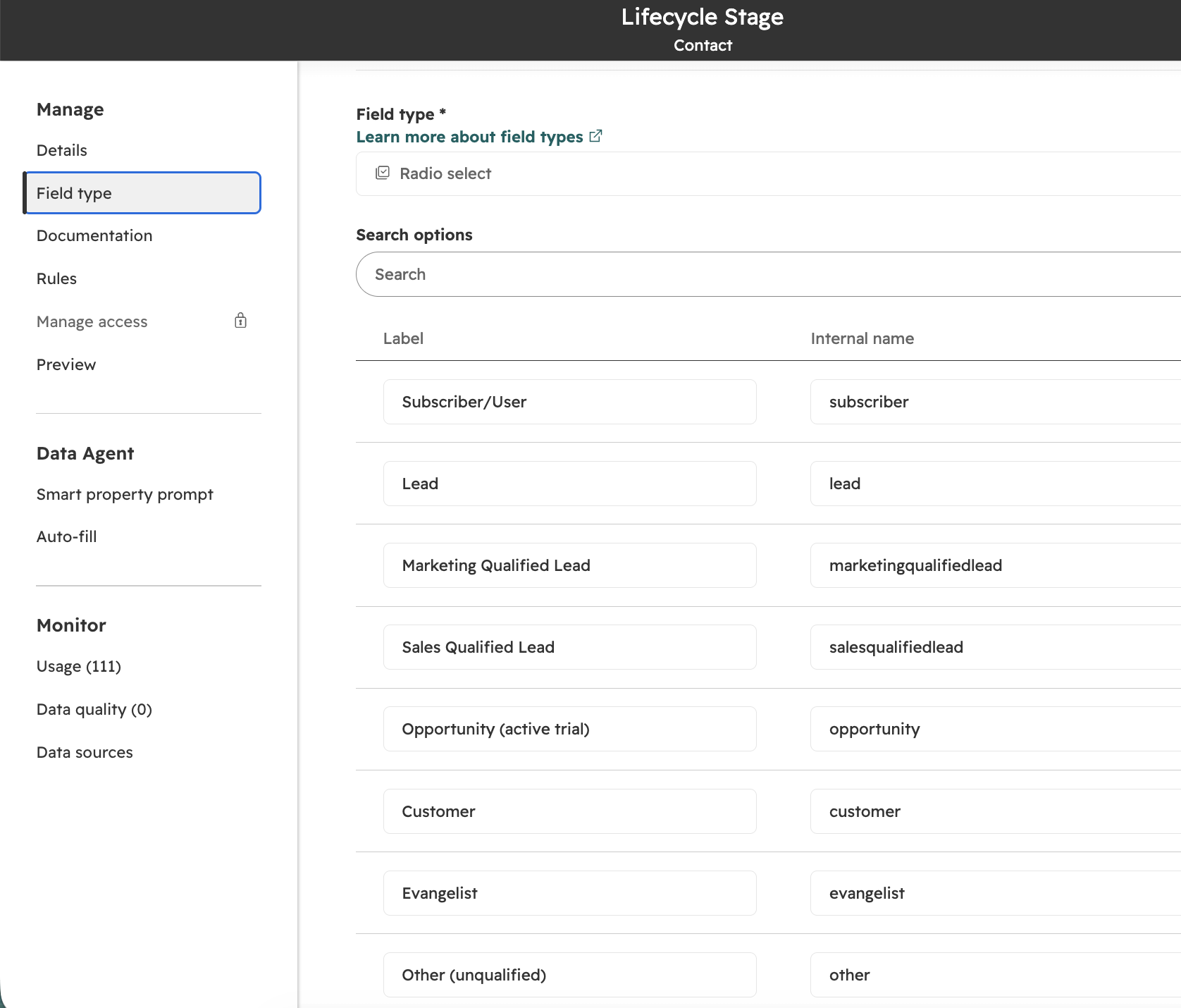
Use the Lifecycle Stage property on contacts and companies so every record sits in exactly one stage of your funnel. Rename or hide the default stages you don't use, so nobody picks the wrong one.
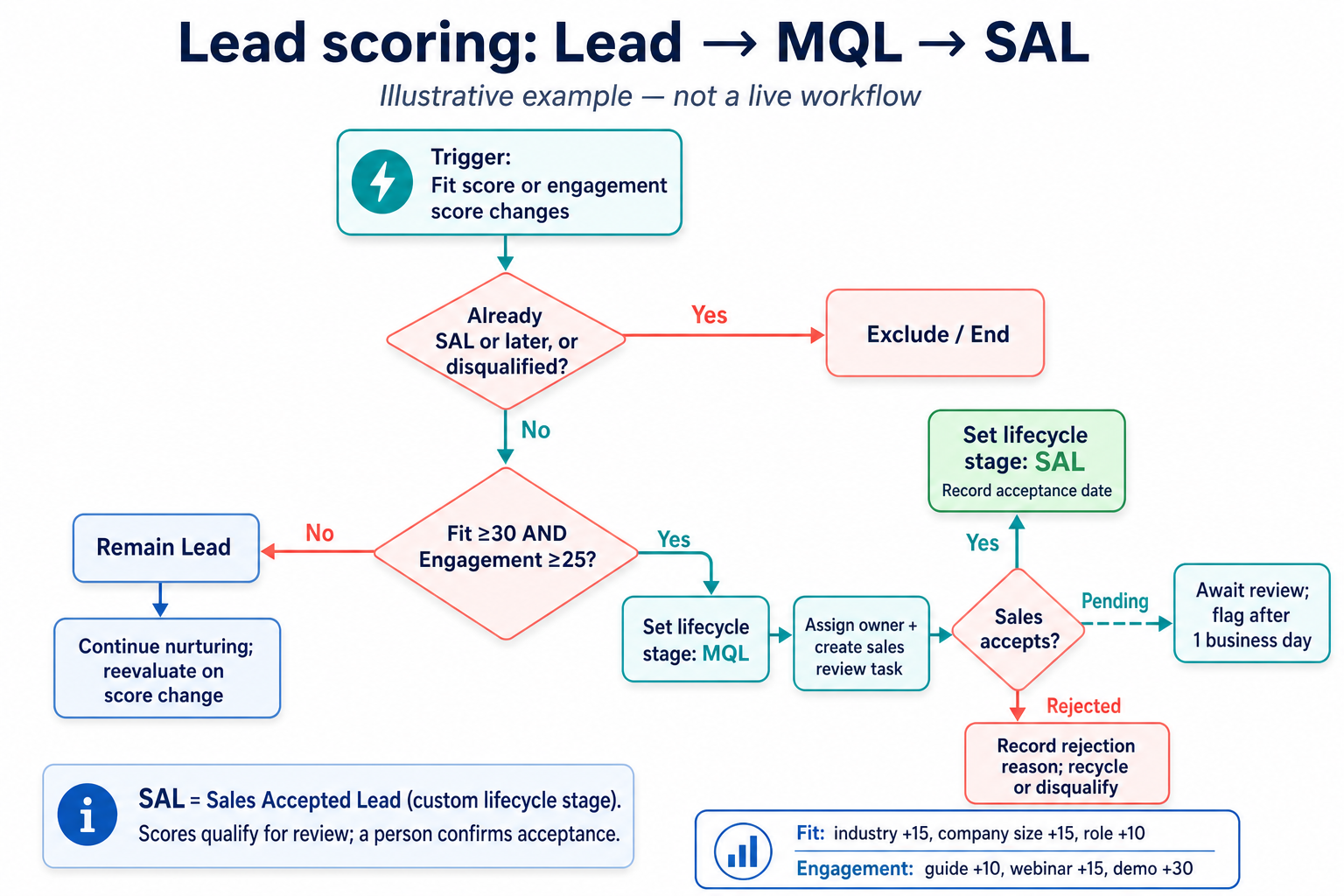
Step 2: Build lead scoring for fit and engagement
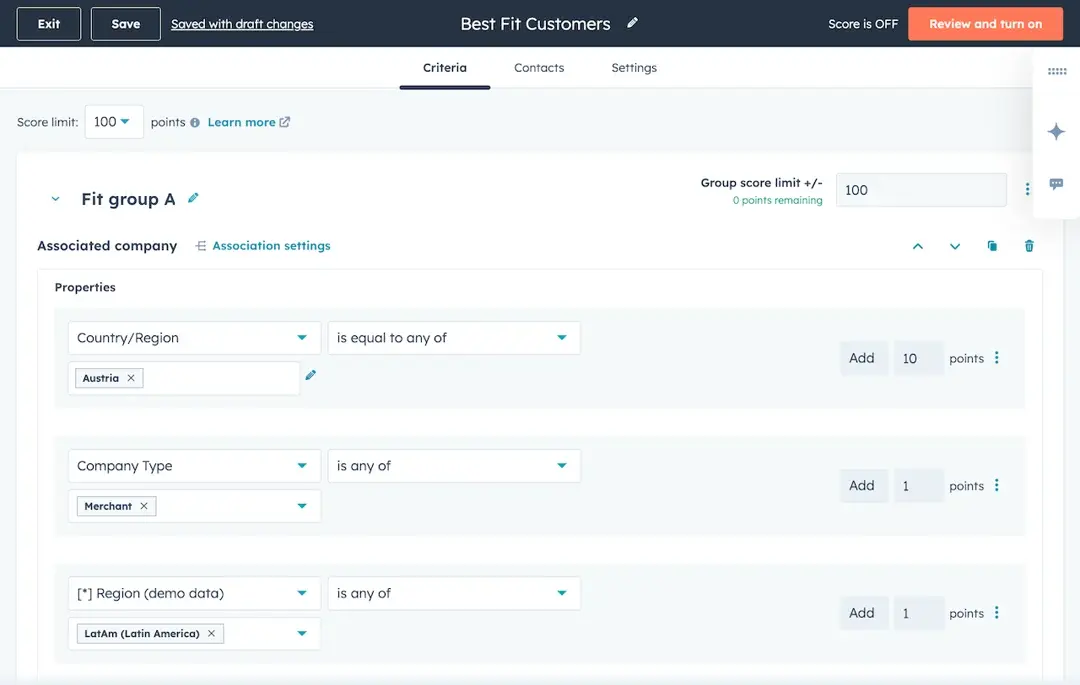
Turn your MQL criteria into a score. Fit points come from properties like job title, industry or company size. Engagement points come from actions like form submissions, email clicks or visits to your pricing page. Agree on the threshold that makes a contact an MQL. Learn here how to create a combined lead scoring in HubSpot.
Step 3: Automate the move to MQL
Create a workflow that sets the lifecycle stage to MQL as soon as a contact reaches your score threshold. The same workflow can assign an owner and notify sales, so no lead waits for someone to notice it.
Step 4: Manage the handoff with the Leads lifecycle stages
This is where most funnels break. Use the lifecycle stage Sales Accepted Lead (SAL) in HubSpot to demonstrate the qualification stage that sales can start working with in each new lead and either accept it (SAL) or reject it. When they reject a lead, make the rejection reason a required field. That reason is gold for marketing.
Step 5: Connect qualified leads to your deal pipeline
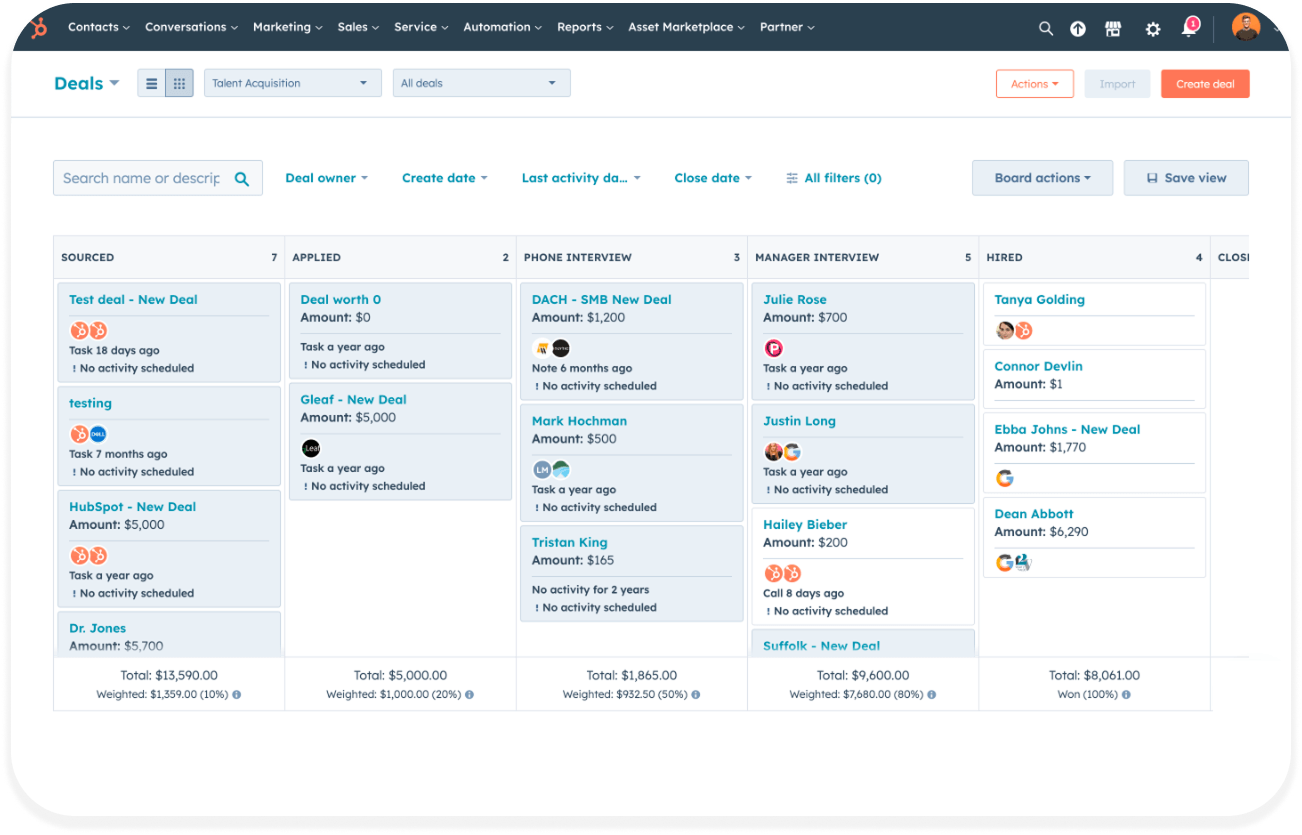
Once sales confirms need, budget, and timeline, the lead becomes an SQL; when it is further in discussions and has everything needed to be an Opportunity, a deal is created in your pipeline. From here, deal stages take over until Closed Won.
Step 6: Report on conversion between stages
Build a funnel report that shows how many records move from each stage to the next, and how long they stay there. This is the report both teams will look at every week, so make it the single source of truth.
One tip from our HubSpot health checks: if you can't explain why a contact is in a stage, the stage isn't defined well enough yet.
How do you measure your lead funnel in HubSpot?
Track the conversion rate between each pair of stages, not just the total number of leads. A funnel with fewer MQLs but a higher MQL to SAL rate is usually healthier than a funnel full of leads nobody wants.
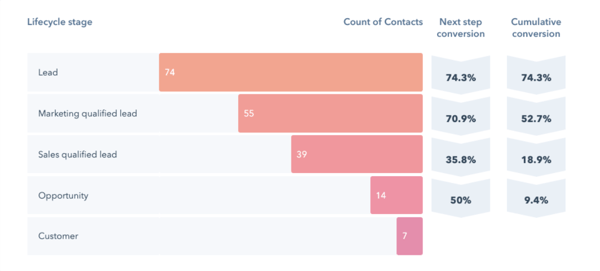
In a report like this, every percentage tells you where to look. A low Lead to MQL rate points to targeting or scoring. A low MQL to SAL rate points to the handoff. A low SQL to Opportunity rate points to qualification.
Beside conversion, keep an eye on three more numbers:
- Time in stage, to spot where leads stall
- Lead rejection reasons, to show marketing what to fix
- SLA compliance, meaning the share of MQLs followed up within the agreed time
Once you have your own numbers, compare them with B2B benchmarks to see which stage needs attention first.
Set up your lead funnel with Thalox
A useful lead funnel starts with shared definitions, clear ownership, and a handoff that both marketing and sales can follow. Thalox helps you turn those agreements into a practical HubSpot setup, connecting your lifecycle stages, qualification process, automation, and reporting.
We also train your team to work with the process and refine it as you learn where leads stall or drop off. Whether you are starting from scratch or improving an existing funnel, talk to us about making your lead management work for both teams.
