HubSpot
[Ebook] The B2B HubSpot Reporting Playbook
Learn how HubSpot reports help B2B teams track performance and growth, and discover why the 10 most important reports deserve a place on your...
 Go to home
Learn how to build 5 essential HubSpot reports step by step, from revenue attribution to campaign performance.
To build the most important HubSpot reports for your business, start by focusing on the metrics that connect marketing, sales, and customer data to real business outcomes. Five essential reports are attribution by channel, pipeline conversion rate by deal stage, marketing funnel conversion, deal velocity and win rate, and campaign performance overview.
Each can be built directly in HubSpot using attribution, funnel, single-object, templates, or campaign reports. Below, we'll show you how to create each one step by step.
HubSpot gives you plenty of reporting options, but you don't need to track everything at once. The most useful reports are the ones that answer specific business questions and help your teams decide what to do next.
Let's look at five HubSpot reports you can start building.
An attribution report shows you which channels are actually driving revenue, creating contacts and deals, so you can double down on what works instead of guessing.
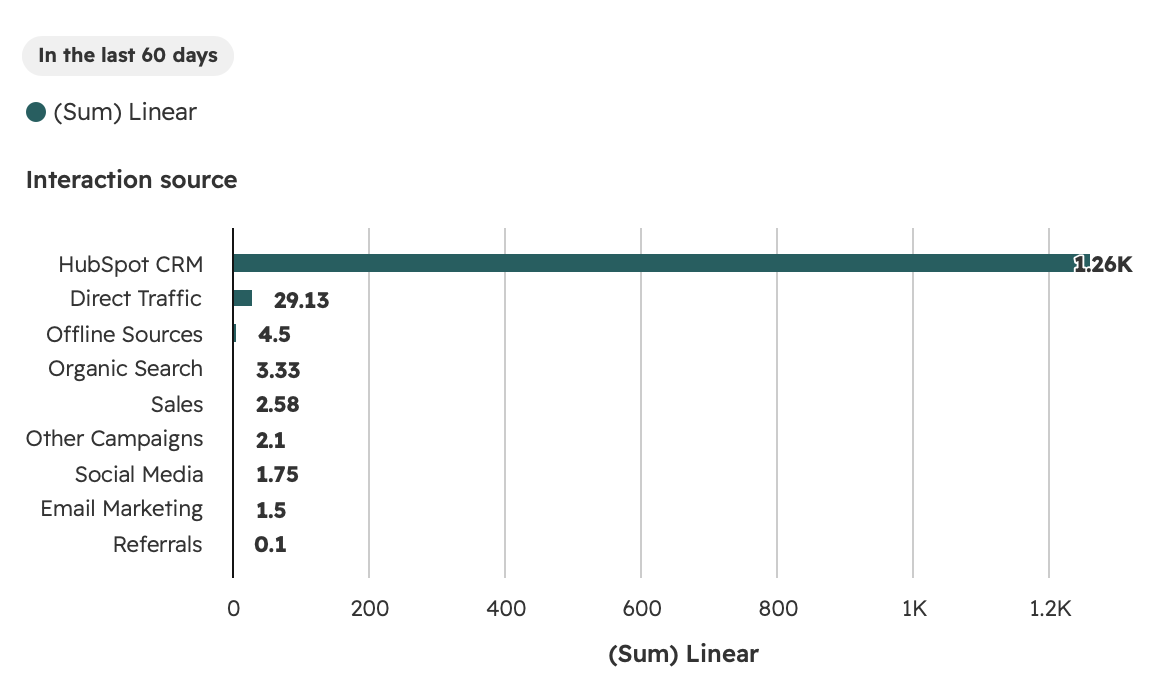
In this example, HubSpot CRM (direct sales activity) accounts for the vast majority of contacts created, with organic search and email marketing contributing smaller shares, a good signal for where to invest next.
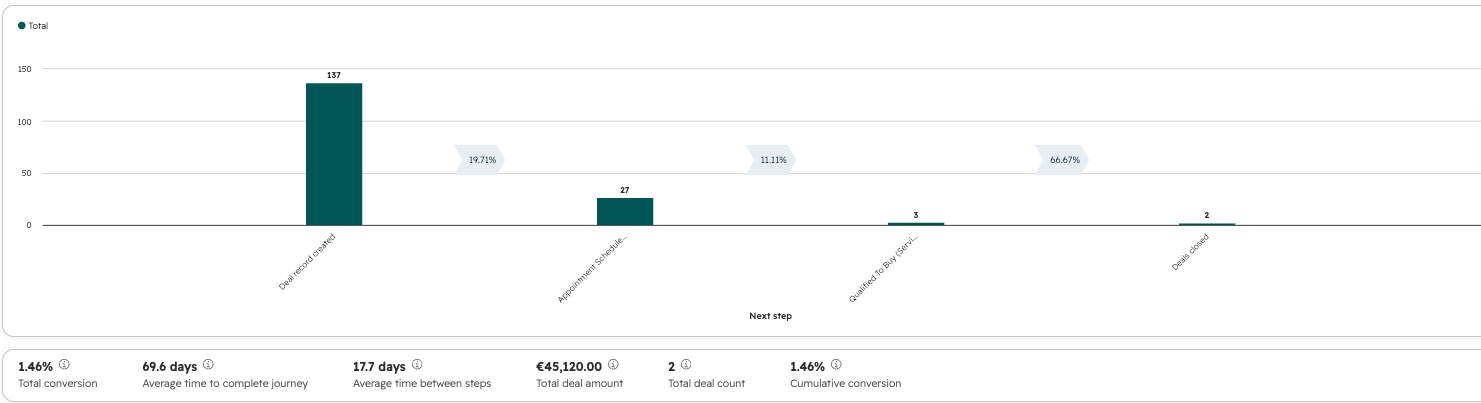
In this example, only 1.46% of deals make it from creation to close, but deals that reach "Qualified to buy" convert to closed-won at 66.67%, meaning the real bottleneck sits earlier in the pipeline, not at the end.
This report tracks contacts through your lifecycle stages, showing exactly where you lose the most leads.
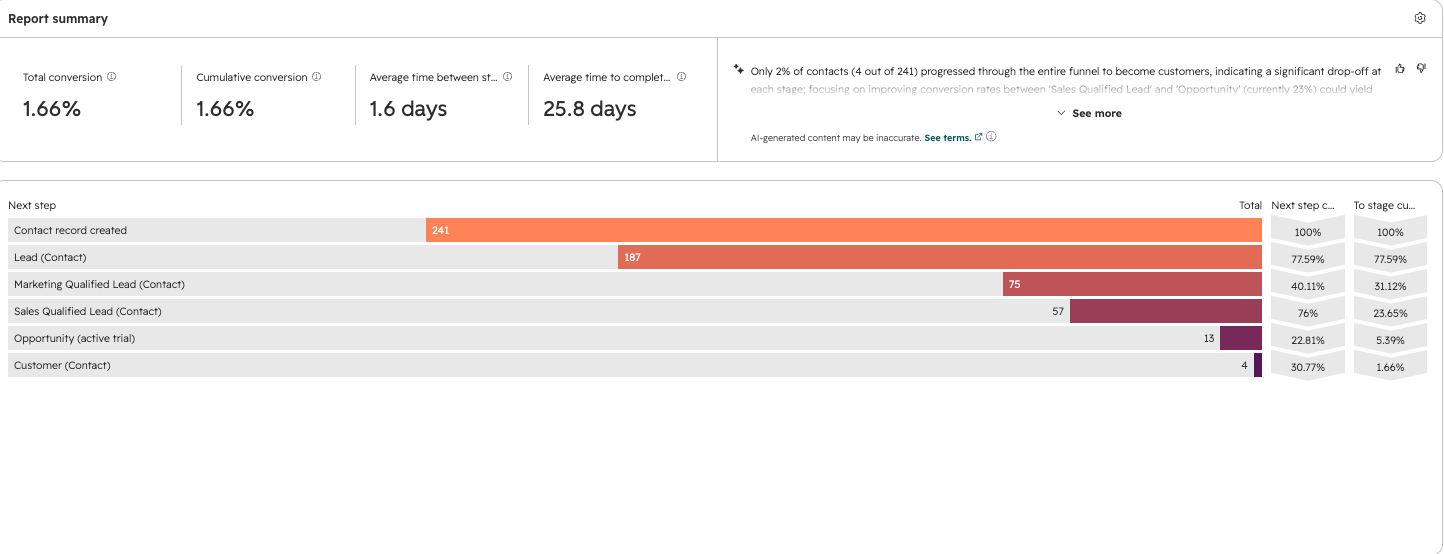
In this example, only 2% of contacts (4 out of 241) made it all the way to customer, with the sharpest drop-off between Sales Qualified Lead and Opportunity, exactly the kind of insight that tells a team where to focus next.
This report combines how fast deals move with how often they're won, giving you a single view of pipeline health by rep.
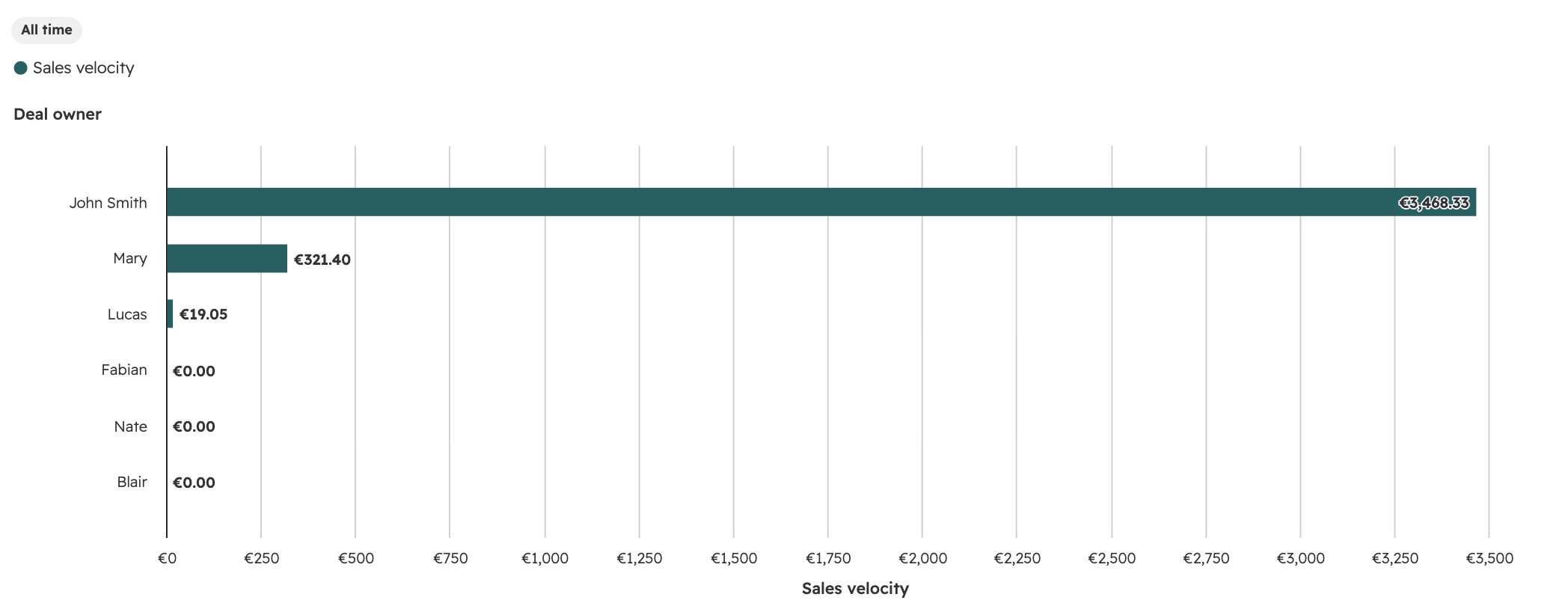
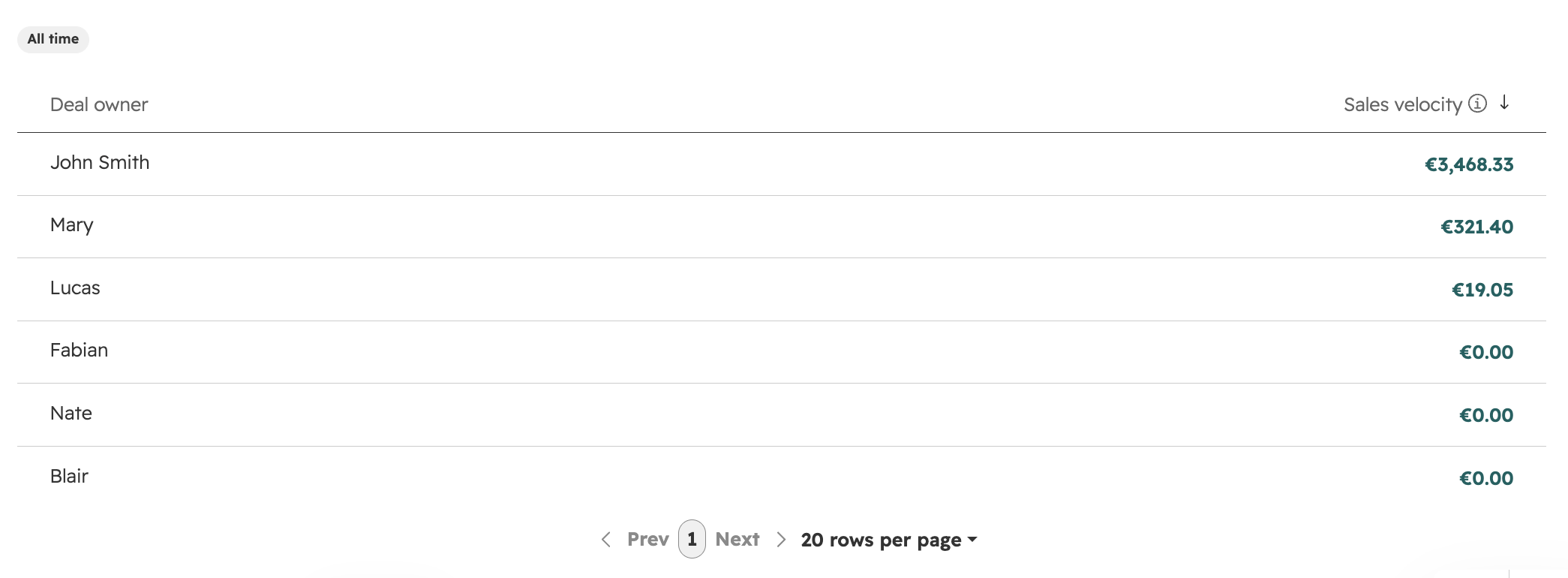
The table view is the one worth pinning to a dashboard: one row per rep, with velocity, average deal size, win rate, and average time to close all side by side.
Unlike the reports above, this one doesn't need the report builder, it's built now into every HubSpot campaign.
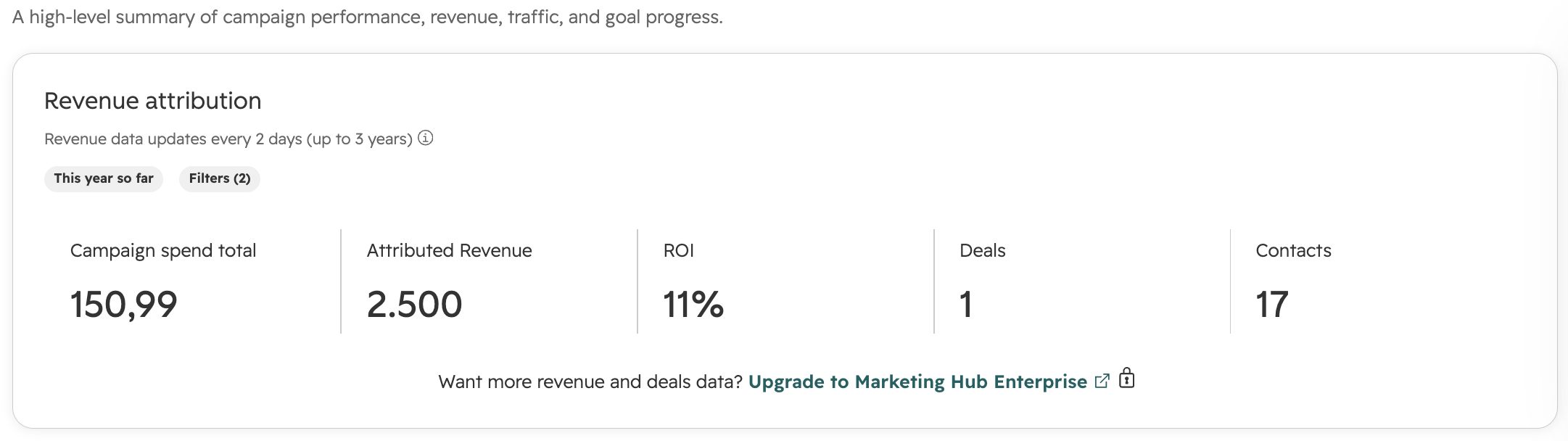
Note: full revenue and deal-level attribution data requires Marketing Hub Enterprise.
These five reports cover attribution, pipeline health, funnel conversion, deal velocity, and campaign ROI, the core metrics most B2B teams check every week.
But every HubSpot portal and every business is different.
The reports you build should ultimately reflect the questions your teams need to answer and the decisions they need to make.
That's why we've created a HubSpot Reporting eBook with more reporting ideas across Marketing, Sales, Service, and business performance.
If you'd rather skip the trial and error, our team can audit your data and set up the reporting your business actually needs, dashboards included. See how we could make your HubSpot reporting work better for your business.
Learn how HubSpot reports help B2B teams track performance and growth, and discover why the 10 most important reports deserve a place on your...
Learn how to set up Buyer Intent in HubSpot step by step. Track high-intent companies, configure signals, and help your team focus on promising leads.
Perform a HubSpot Health Check to identify data issues, optimize workflows, and improve reporting, ensuring your CRM drives the best results.