To generate a blog post with Content Agent in HubSpot, go to Marketing > AEO, open the Recommendations tab, select Owned content, open a recommendation, and click Generate blog post. Content Agent researches the topic, applies your brand voice, and delivers an AEO-optimized draft in a few minutes. The feature is available on Marketing Hub Professional and Enterprise and costs 1,000 HubSpot Credits ($10) per generated post.
Content Agent now works beyond the blog: you can also generate LinkedIn posts and articles from the Social, AEO, and blog tools, and build landing pages from the landing pages tool or by chatting with Breeze Assistant.
Answer engines like ChatGPT, Perplexity, and Google's AI Overviews now decide which brands get mentioned in AI-generated answers. HubSpot's AEO tool shows you where your brand is missing from those answers — and with the latest Content Agent update, you can turn any of those gaps into a ready-to-edit blog draft in a few clicks. This guide covers what the feature is, how to use it step by step, what it costs, how to use Content Agent for LinkedIn posts and landing pages, and how to make the output actually earn citations.
Table of Contents:
Check what our HubSpot Consultant Joana has to say about it:
What is Content Agent in HubSpot?
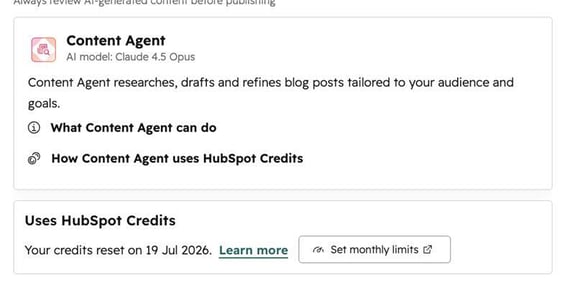
Content Agent is HubSpot's AI agent that researches, drafts, and refines blog posts tailored to your audience and goals, powered by Anthropic's Claude model. With its newest capability (currently in beta), Content Agent connects directly to HubSpot's AEO (Answer Engine Optimization) tool: it converts a visibility recommendation into a full blog draft that is already structured for answer engines: correct heading hierarchy, direct answers, and the keyword and competitive context behind the recommendation baked in.
Content Agent starts from everything HubSpot already knows about your business: your brand kit and brand voice, your target audiences, your CRM data, your competitors, and your past content — and does the research before it writes a word. You can bring your own topic or act on a recommendation HubSpot surfaces, and the agent now appears in the places you already work: the blog tool, the AEO tool, the Social tool, the landing pages tool, and Breeze Assistant. You never navigate to a separate tool.
Why does generating content from AEO recommendations matter?
Because it removes the slowest step between insight and action. Before this feature, acting on an AEO recommendation meant manually researching top-cited competitor posts, analyzing citation data, and writing a new article from scratch — often several days of work per topic. Now the research and first draft happen automatically inside HubSpot, so your team's effort shifts to editing, enriching, and publishing.
The benefit compounds: answer engines tend to keep citing sources they already trust. Closing a visibility gap quickly — before competitors consolidate their position — is one of the highest-leverage moves in an AEO strategy.
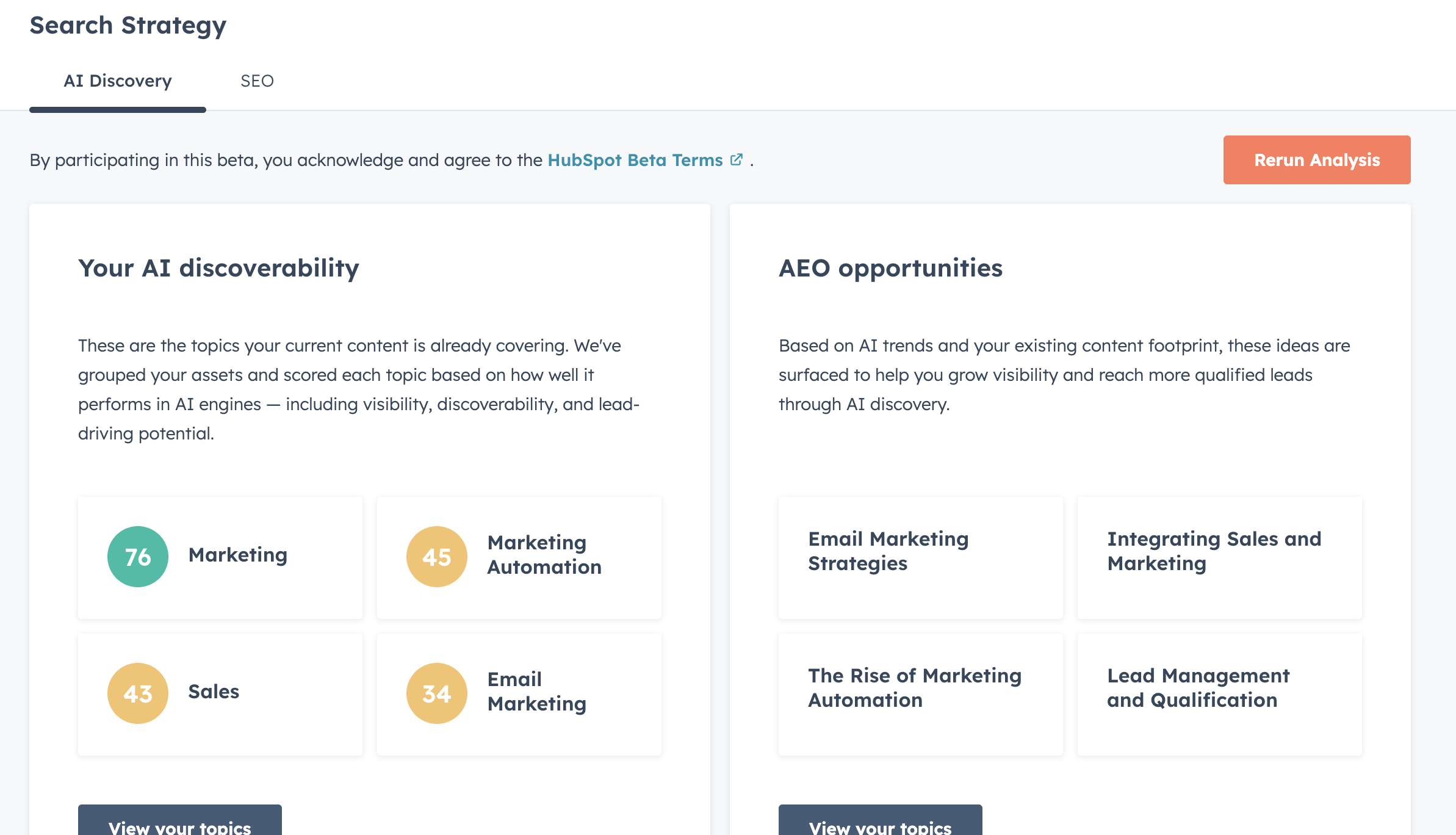
How do you generate a blog post with Content Agent in HubSpot?
Follow these four steps in your HubSpot portal:
- Navigate to Marketing > AEO.
- Click the Recommendations tab in the AEO tool.
- Select Owned content in the left panel and open a recommendation.
- Review the recommendation overview, then click Generate blog post.
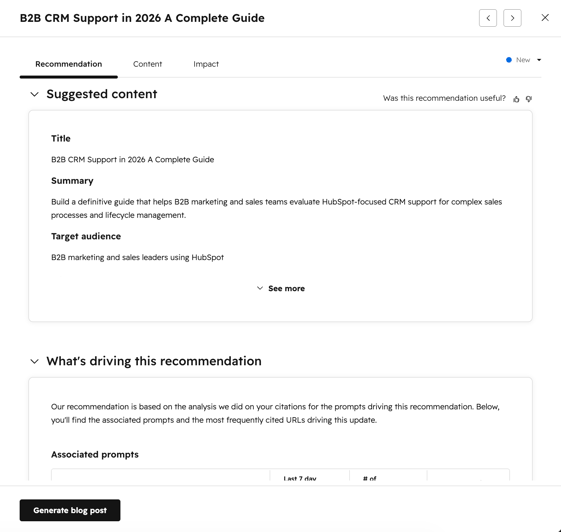
Content Agent then automatically:
- Research the topic
- Applies your configured brand voice
- Structures the post for answer engine optimization
- Incorporates the keyword and competitive context behind your recommendation
Generation takes a few minutes. You'll receive an in-app notification and an email when your draft is ready to review in the blog editor.
How do you create LinkedIn posts with Content Agent?
You can now create LinkedIn posts and articles from three places in HubSpot, without leaving the tool you're already in:
- Social tool — Select Create with AI from the Create post dropdown or the + button on the calendar. You get three routes: bring your own topic via a URL, file, or text prompt; repurpose an existing HubSpot page or blog post; or pick from AI-generated topic suggestions based on CRM conversations, industry news, and your ideal customer profile.
- AEO tool — Generate a LinkedIn post or article straight from an AEO recommendation. For posts, the draft lands in the Social tool for review and scheduling. For articles, Content Agent generates a title, body, and companion post — you copy the content into LinkedIn's article editor to review and publish.
- Blog tool — After publishing a blog post in HubSpot, turn it into a LinkedIn post. The article is the starting point, and the post is grounded in your content and brand voice.
Click Generate and move on: Content Agent runs in the background and notifies you when the draft is ready. Post drafts are saved to the Social app for review before you publish. Available on Marketing Hub Professional and Enterprise.
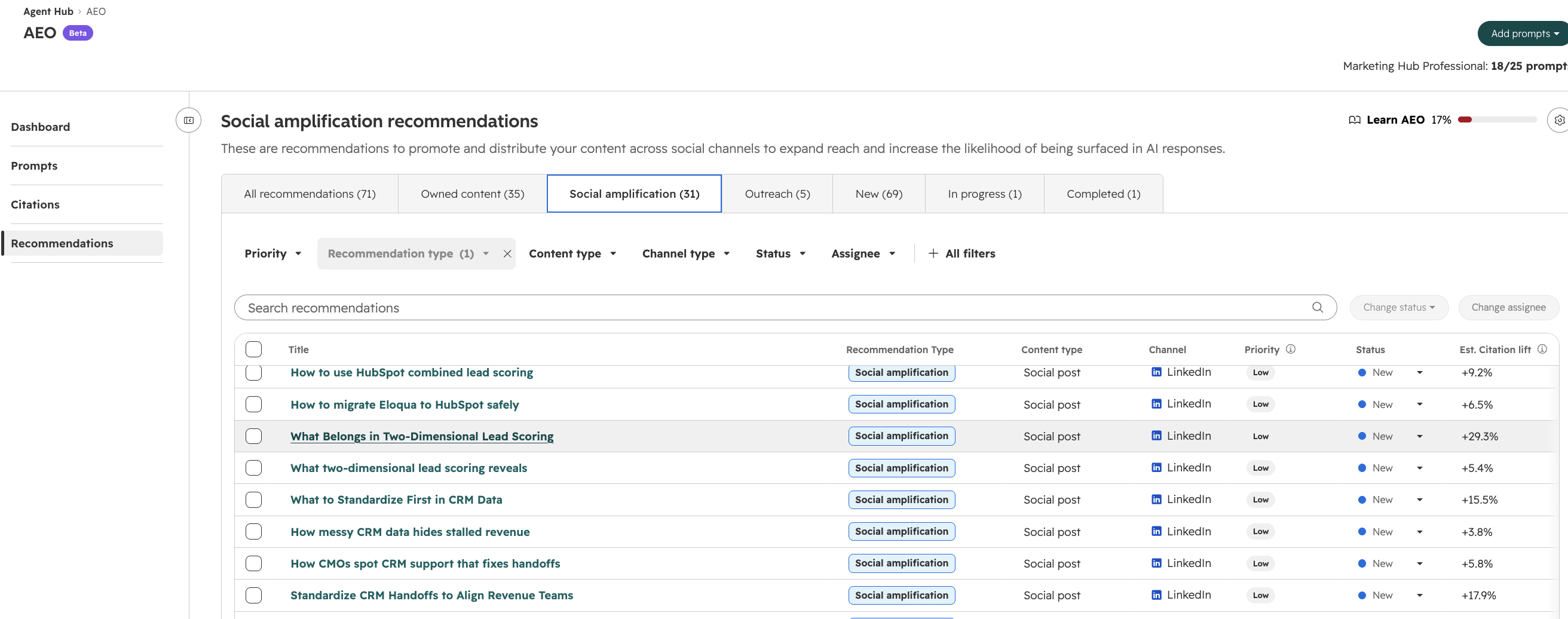
Creating LinkedIn posts through the AEO tool.
How do you build a landing page with Content Agent?
Content Agent also builds landing pages, using your brand kit, brand voice, CRM data, and past landing pages from the start. There are two ways in:
From the landing pages tool
- Navigate to Content > Landing Pages.
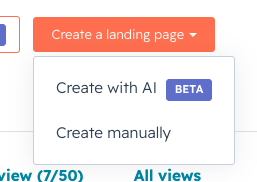
- Click Create a landing page.
- Select Create with AI and follow the prompts.
From Breeze Assistant
- Click Assistant in the top navigation bar of your portal.
- Tell Breeze Assistant you want to create a landing page.
- Follow the conversational flow to build your page.
Availability is broader here: Marketing Hub Professional and Enterprise, plus Content Hub Starter, Professional, and Enterprise.
How much does Content Agent cost in HubSpot?
Each blog post generated from an AEO recommendation costs 1,000 HubSpot Credits, equivalent to $10. Credits are only consumed when a post is successfully generated. Most Marketing Hub Professional and Enterprise plans already include a credit allotment you can use for Content Agent, and you can purchase additional credits at any time, enable Pay-as-You-Go, or set monthly limits to keep spending predictable.
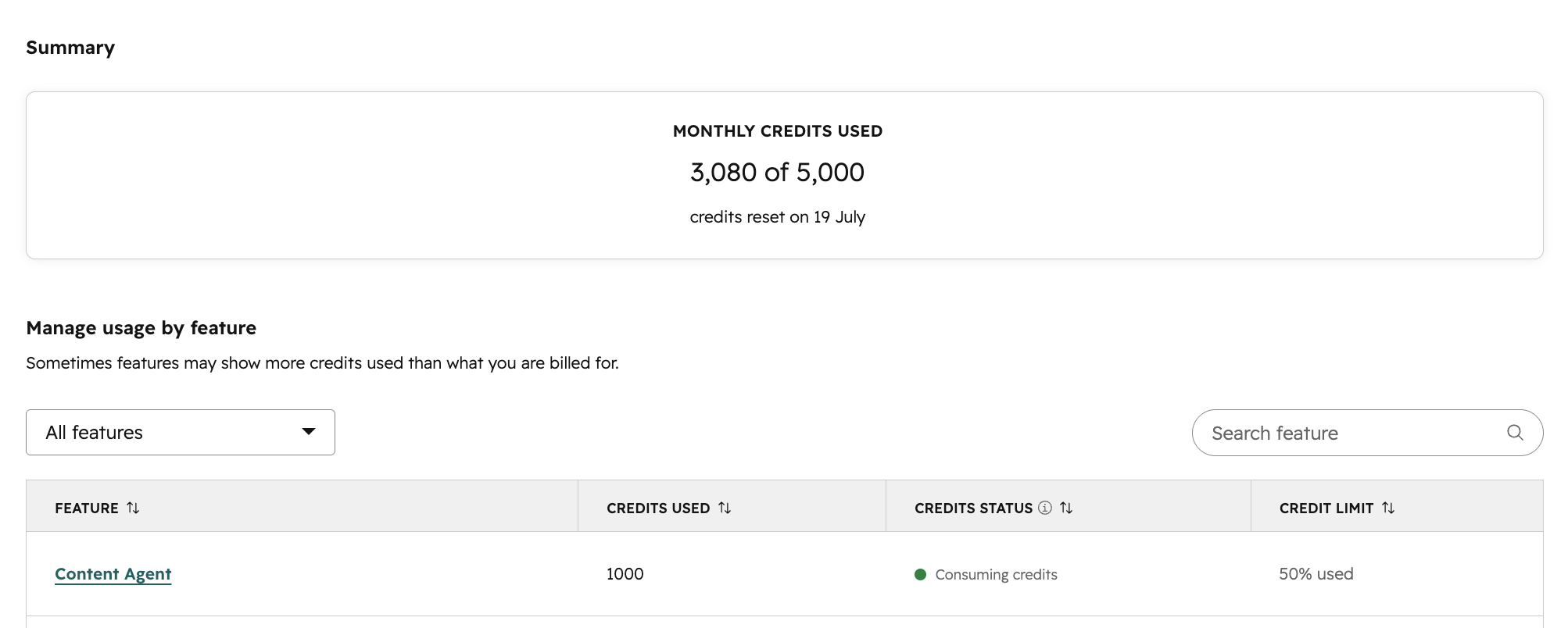
Heads-up on pricing changes: HubSpot plans to make Content Agent credit-based across all surfaces sometime after 8 September. If you're using it for LinkedIn posts or landing pages today, budget for credit consumption on those formats too.
Who can use the AEO content generation feature?
The feature is available on Marketing Hub Professional and Marketing Hub Enterprise plans. It is currently in beta, so using it means agreeing to the HubSpot Beta Terms. Full documentation is available in the HubSpot Knowledge Base.
How do you make AI-generated posts actually earn citations?
An AI draft is a starting point, not a finished article — and answer engines reward content that demonstrates real expertise. Before publishing a Content Agent draft:
- Review and fact-check everything. HubSpot itself reminds you to review AI-generated content before publishing.
- Add first-hand expertise. Original data, examples, screenshots, and opinions are what differentiate your post from every other AI-assisted article on the topic.
- Keep the answer-first structure. Lead each section with a direct, quotable answer, then elaborate — that's the format answer engines extract.
- Add FAQ and HowTo schema markup so engines can parse your steps and answers reliably.
- Prioritize recommendations strategically. Spend credits on the visibility gaps tied to revenue, not just the easiest topics.
- Measure citations over time to learn which posts and formats answer engines actually pick up.
- Repurpose across channels deliberately. Once a post is published, use Content Agent's blog-to-LinkedIn flow to extend its reach — but edit the social draft the same way you'd edit the article.
How Thalox helps you get more from HubSpot's AI tools
Features like Content Agent work best on top of a healthy portal and a clear process — and that takes both technology and people. Thalox's AI-powered platform predicts email engagement and segments your HubSpot contacts by their likelihood to respond, so the content you generate reaches the audiences most likely to act on it. Our certified HubSpot consultants complement the platform: they configure your brand voice, design editorial and governance workflows, help you prioritize which AEO recommendations to act on and which formats to generate for each one, as well as setting up measurement so you know what's working.
Not sure whether your portal is ready for HubSpot's AI features? Start with a free Thalox Health Check: our consultants analyze your current setup, flag problem areas, and hand you a prioritized list of optimizations. Contact Thalox to get started.
Article updated in August 2026.
