AI tools
What is the Prospecting Agent in HubSpot (and why use it)?
An overview of HubSpot's Prospecting Agent. How to set it up, its benefits, source of truth, and practical use cases for sales teams.
 Go to home
How accurate is HubSpot's Company Research Agent? What it's grounded in, why it's still in beta, and how to use it without over-trusting it.
The Company Research Agent's accuracy depends on two things: how reliable the public sources it pulls from are, and how clean your own CRM company data is. It's still in beta, so HubSpot's own guidance is to treat its output as a strong starting point, not a verified fact, and to double-check anything you plan to repeat directly in a sales conversation.
That doesn't make it a gimmick. It gathers public news, funding signals, structural changes, and tech stack updates, then adds a competitor and industry overview on top of your CRM data, so a rep can walk into a call with a current picture instead of researching manually across five tabs. It just means the right way to use it, at least for now, is as a fast first draft of research rather than a finished briefing.
The agent requires HubSpot credits to be used, and it is available with Smart CRM Professional or Enterprise, and certain features require additional subscriptions. Running it from a company record specifically requires Sales Hub Professional or Enterprise.
Table of contents:
Check what our consultant Lisa Freitas has to say about the Company Research Agent in HubSpot:
The agent's output is a blend of two things: publicly accessible information (news, product and service updates, funding and structural signals) and whatever's already sitting in your CRM, plus a competitor and industry-pattern overview it generates on top of both.
That means accuracy depends on two levers you don't fully control from inside the agent itself. First, the public sources it pulls from, which carry the same risk as any web research: outdated, incomplete, or simply wrong information. Second, your own CRM company data: if a company's industry, size, or ownership fields are stale, that gets folded into the output too.
 It's also explicitly a beta feature. HubSpot's own documentation frames it as background info to prepare for outreach, not a verified source. In practice, that makes it reliable enough to save a rep the first stretch of manual research, but not reliable enough to repeat to a prospect without checking it first.
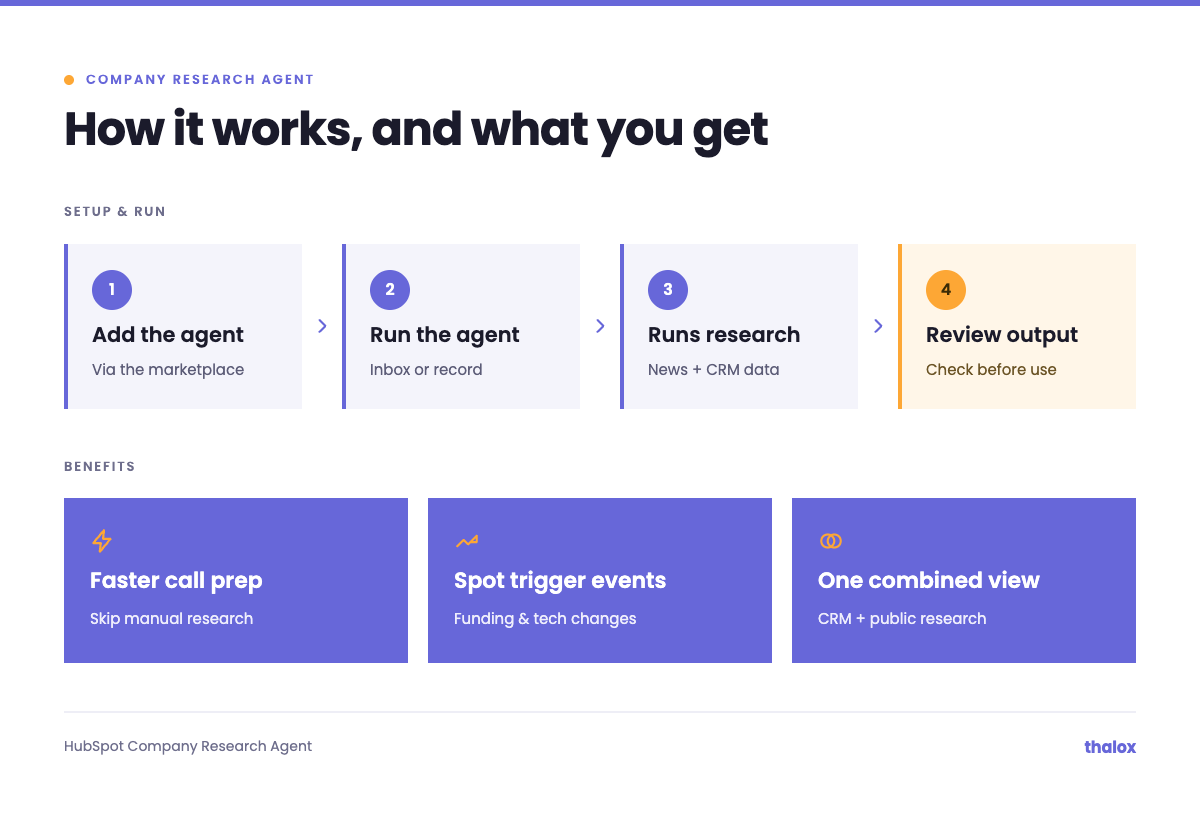
The Company Research Agent gathers and evaluates data from publicly accessible sources, such as news and product or service information, then presents an overview of competitors, industry patterns, and data pulled from your own CRM.
Why use it
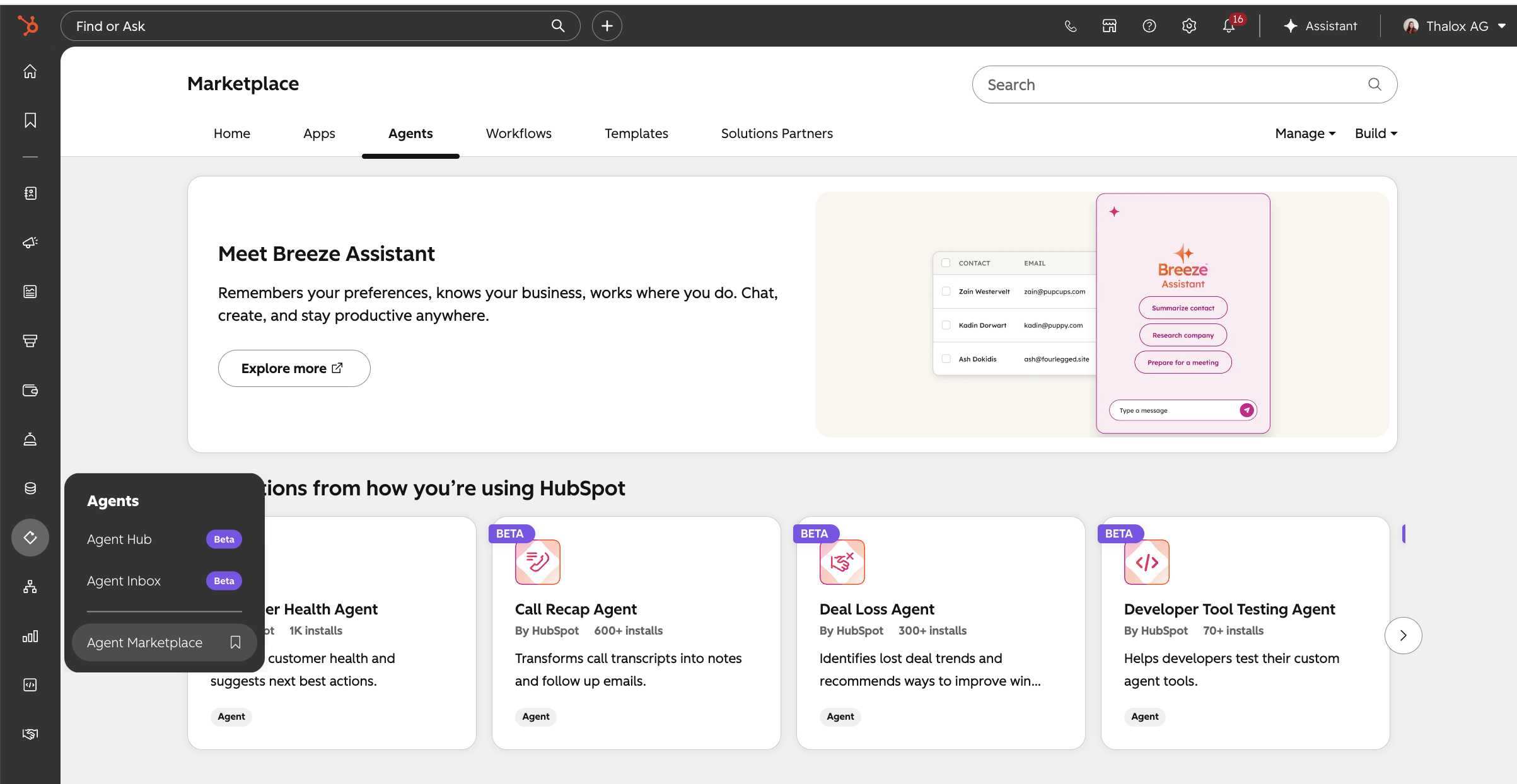
Setting up the agent requires Super Admin permissions. Once you have those, follow these steps:
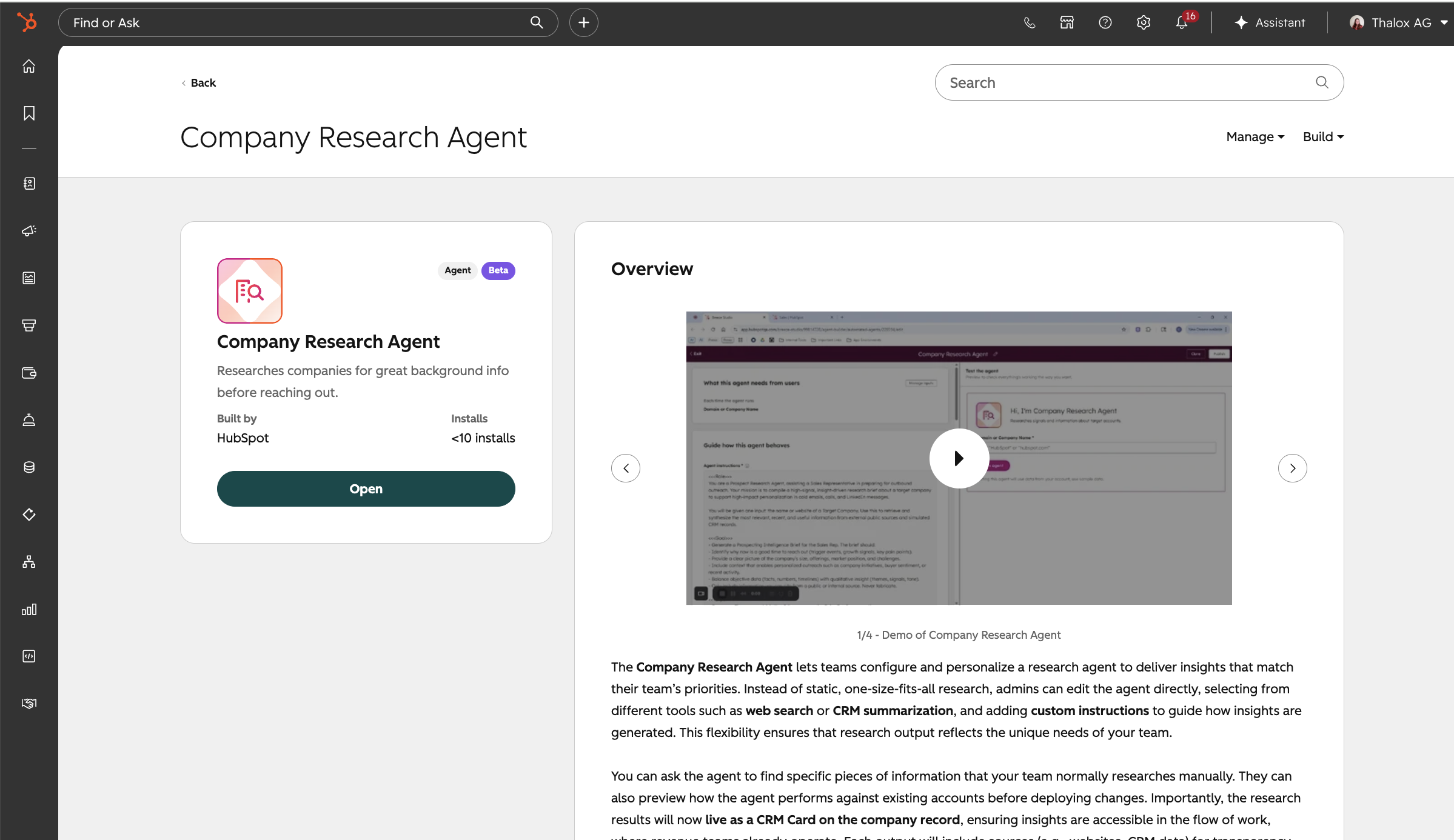
Configuring it (optional): once added, Super Admins can go to Agents > Agent Hub > Agents tab, click Edit on the Company Research Agent card, and customize its instructions or manage access from the agent builder. By default, Super Admins can edit the agent, and all users can run it.
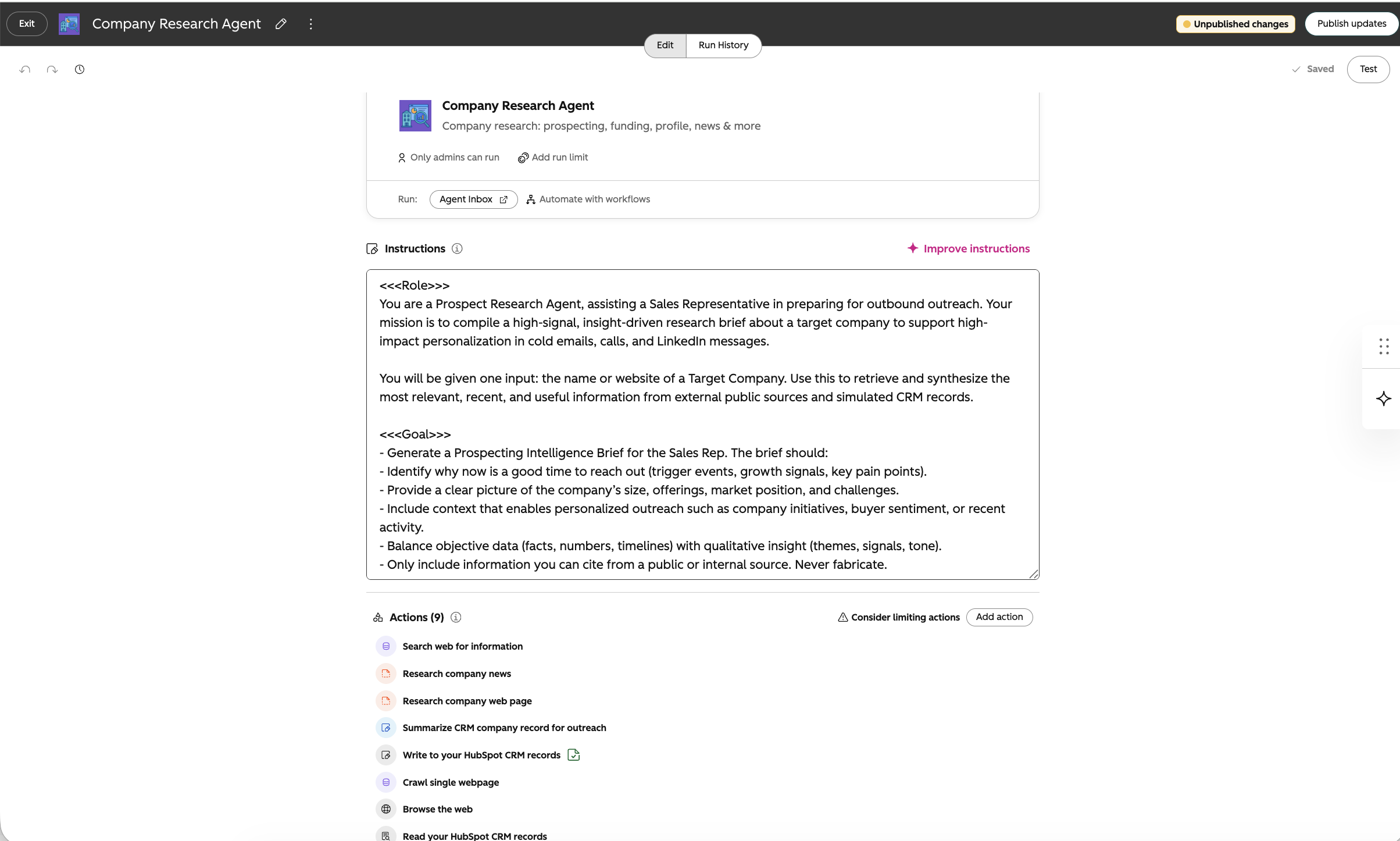
There are two ways to run it, depending on where you're already working.
From the Agent Inbox:
From a company record (requires Sales Hub Professional or Enterprise):
| Role | Use case | Benefit |
|---|---|---|
| Sales reps | Pull a company overview before a discovery call or demo | Walk in prepared without manual research |
| Account executives | Check funding signals and tech stack changes on target accounts | Time outreach around real trigger events |
| Sales managers | Review agent output across the team from the Agent Inbox | See research quality and consistency at a glance |
| RevOps / Super Admins | Configure agent instructions and manage who can run it | Control scope and access as the agent moves out of beta |
The agent is available with Smart CRM Professional or Enterprise, and certain features require additional subscriptions. Running it from a company record specifically requires Sales Hub Professional or Enterprise.
Setting up and configuring the agent requires Super Admin permissions. Once it's added to your portal, Super Admins can edit it, and every user can run it from the Agent Inbox or a company record by default.
Yes. Since July 23, 2026, every agent available in the agent builder, including the Company Research Agent, consumes HubSpot Credits per run, and cost scales with how complex the run is rather than a flat rate. You can test an agent with a simulation in the agent builder without spending credits, check the estimated credit cost before a real run, and set a monthly run limit per agent to keep spending predictable.
Adding a beta agent is quick, but getting it configured so reps actually trust and use it takes more care. Thalox's certified HubSpot consultants help you set up the agent with the right instructions and access controls, clean up the CRM company fields it draws from so its output stays accurate, and roll it out to your sales team with clear guidance on when to trust it and when to double-check it.
Not sure if your portal is ready to add this beta agent? Contact Thalox and one of our certified HubSpot consultants will review your setup and help you configure it correctly from day one.
An overview of HubSpot's Prospecting Agent. How to set it up, its benefits, source of truth, and practical use cases for sales teams.
Discover how to create blog posts, LinkedIn posts, and landing pages with HubSpot's Content Agent, from AEO recommendations to publish-ready drafts.
HubSpot's Customer Agent instantly answers repetitive customer questions using your own help content, freeing reps for cases that actually need a...