

As a customer’s request, we implemented a functionality to transfer the TES (Thalox Engagement Score) directly into a field in HubSpot to run even more targeted campaigns and send emails with specific content based on the respective score.
You can push the TES score to HubSpot and it will create a custom property to store this value. This step is optional, but it will allow you to run more targeted campaigns.
Please note: Each new prediction also generates a new score per contact in HubSpot.
So on your Predictions page, in addition to updating your contact lists in HubSpot, you can push your TES scores into your HubSpot contacts. When you click "Push into HubSpot" your contact scores will be updated.
First log into Thalox Suite and navigate as usual to the results of the last prediction.
Please also read the following articles if you are logging into Thalox Suite for the first time:
After you have logged in to Thalox Suite, please navigate via the menu item “Prediction” to the list of already existing results:
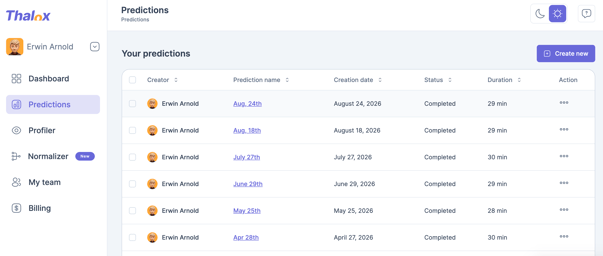
As soon as you click on the prediction's name you will see the following screen:
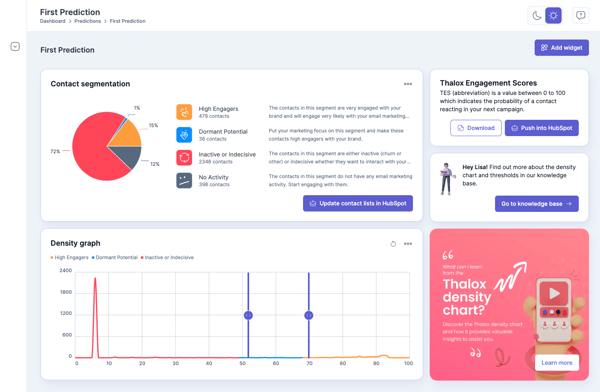
If you push the TES the first time, our system needs some additional rights in your HubSpot instance to create a new field and then push the TES.
If needed, please click the button “Reconnect HubSpot connection” in the pop-up.
Please note: The second time, this step is no longer necessary, and you can push the TES directly.
After the data has been successfully transferred to HubSpot, you will receive a notification by email as usual.
Updated August 2026