

Progressive profiling in HubSpot is a method of collecting contact data gradually over multiple interactions. Thalox Suite helps improve this process by identifying which contact properties contribute most to engagement, allowing marketers to prioritise the right fields and build higher-quality audience profiles over time.
How to improve HubSpot Forms with Thalox Suite
After creating your prediction, you have four segments available on Thalox Suite.
Learn how to get the best of your Thalox Suite account here!
Incorporating progressive fields into your forms in HubSpot optimizes user interactions, minimizes redundant data collection, and fosters a more personalized and efficient experience for your audience.
Thalox Suite further aids in identifying points of improvement to cultivate a better-engaged audience.
What is Progressive Profiling?
It is all about starting a conversation. Do you ask all the questions you want to ask about another person in your first meeting or first date? Probably not.
Sure – the more information you have about your audience, the better.
But you must be methodical about the way you ask for that information or you can risk a potential customer feeling flooded.
The goal is to create a flow of e-mails where you can ask more and more questions to your audience.
Helpful articles on how to enable HubSpot Forms to run progressive profiling within HubSpot.
How could Thalox Suite help you with Progressive Profiling?
The answer is quite simple. Based on our algorithm we identify the fields that are contributing to the Thalox Engagement Score (TES).
You can request additional statistics through our support team to gain deeper insights from your data with Thalox Suite. Simply open a support ticket or email us to request a Free HubSpot Health Check.
1) To request the data audit, click the question mark icon in the top right corner.

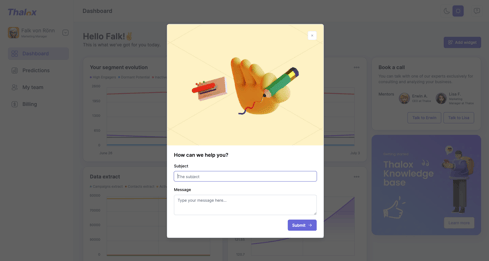
2) A pop-up will appear asking for more information about your support request. Enter "HubSpot Audit Request" as the title, and feel free to include any additional details or expectations for the analysis.
3) Your data audit will resemble the example shown here.
4) In Profiler, you see insights into the fields that contribute to your model and prediction results, highlighting what influences the Thalox Engagement Score.
You'll be able to analyze:
- The fill rate of your contact properties (For example, only 1% of the "Job Title" field is filled in across all your contacts. Knowing this helps you fill in missing data to improve your results. )
- Duplicate properties for cleaner data management
- Variance percentages of properties to normalize your data
- Tailored recommendations to optimize your data health
Additionally, in the audit, you will receive specific recommendations to enhance your data quality and database organization.
We recommend concentrating progressive profiling on fields with a high null or low percentage, as a higher value indicates a greater amount of missing data.
As you collect more data, you'll engage your audience better.
Updated August 2026